NissanConnect マイカーアプリ
jp.co.nissan.dop17.android
View detailed information for NissanConnect マイカーアプリ — ratings, download counts, screenshots, pricing and developer details. See integrated SDKs and related technical data.

Screenshots


Description
Compatible with Android15.
◆Applicable models: Vehicles equipped with Nissan original navigation with dealer option NissanConnect communication adapter
The NissanConnect My Car app works with vehicles equipped with navigation equipped with a TCU dedicated to the NissanConnect service, and provides services connected to the car on the app.
You can check the status of your car even from a distance from the car.
[Main features]
・You can check the approximate location where you parked your car on the map on the app.
・Did you forget to lock your car door? Even when you think about it, you can operate the door lock remotely.
・In the unlikely event that an abnormality warning light comes on in your car, you will also receive a notification on the app.
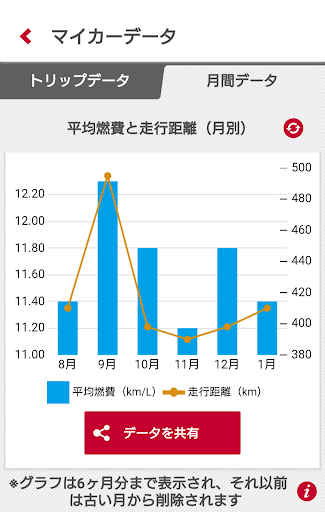
・In conjunction with driving trip data, you can enjoy daily and monthly driving logs. (New feature)
・You can also check NissanConnect messages sent to your car navigation system from the app. (New feature)
[Target vehicle models]
・Cars equipped with Nissan original navigation with NissanConnect communication adapter (voice compatible version) and vehicles that can acquire vehicle data*
*This app cannot be used in some cars that do not support CAN connection.
・After registering the NissanConnect ID and password issued when joining the service from the car's navigation screen, log in to the smartphone app using the same ID and password.
[Notes]
・If the smartphone's USB debugging mode (a function that allows commands to be operated on the smartphone from an external device via USB connection) is turned on,
This app will not start and an error message will be displayed.
In this case, please turn off the USB debugging mode.
[Contact information]
NissanConnect Customer Center TEL: 0120-981-523 Reception hours 9:00-17:00 (excluding year-end and New Year holidays)