北陸銀行ポータルアプリ
jp.co.hokurikubank.bankingappli
View detailed information for 北陸銀行ポータルアプリ — ratings, download counts, screenshots, pricing and developer details. See integrated SDKs and related technical data.

Screenshots


Description
Enrich your financial life with the official Hokuriku Bank app!
-------------
Main functions
--------------
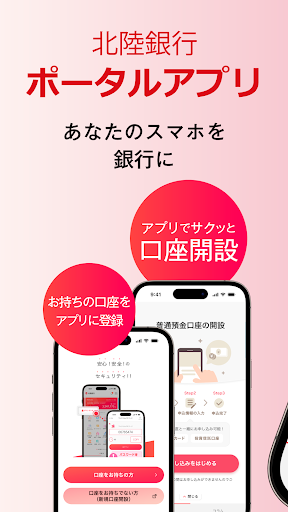
■Open a new account
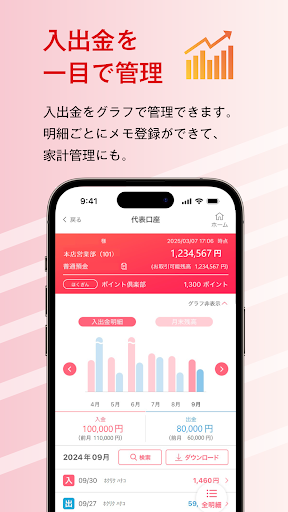
■Check balance/deposit/withdrawal details
■Transfer/Pay-easy/Korat transfer
■QR tax payment
■Card loan borrowing/repayment
■Address/phone number/name change
■Investment trust/NISA account opening
■Internet banking function (Direct A function)
■Money column
-------------------
Who can use it
-------------------
Individual customers who have a regular savings account with Hokuriku Bank and have been issued a cash card
---------------
Usage environment
---------------
■Smartphone device with Android OS 8.0 or higher
■Support for devices with Android OS below 8.0 has ended, so please update your OS.
*Devices released by docomo, au, and SoftBank are eligible.
*Even if you use the above environment, it may not work properly depending on the model and device settings.
---------------
Notes
---------------
■Please use this app after reading and agreeing to the bank's regulations and the following notes.
■This app is free to use. Customers are responsible for any additional communication charges.
■This app delivers information about our bank's campaigns, seminars, etc. If you do not wish to receive such information, please turn off the notification reception setting and location information transmission setting in the app's settings screen.
■When using this app, you will set an "app PIN (any number between 4 and 8 digits)" to authenticate you. You are responsible for managing your app PIN carefully so that it is not known or stolen by third parties.
■In addition, when using this app, you will be required to enter your cash card PIN as a form of identity verification.
■Please be sure to use security software to prevent the smartphone on which this app is installed from being infected with computer viruses or malicious programs.
■There may be cases where the app is unavailable due to system maintenance, etc. Thank you for your understanding.
■Information related to the app will be posted on our bank's website as appropriate. Please check.