FileAgent
jp.buffalo.fileagent
View detailed information for FileAgent — ratings, download counts, screenshots, pricing and developer details. See integrated SDKs and related technical data.
- No items.
Screenshots

Description
BUFFALO FileAgent is Buffalo own file copy tools and file management application.
※ This application is not compatible with later Android 4.1.
If you are using Android 4.1 or later of the terminal, please use the Buffalo-made file management app "File Manager".
https://play.google.com/store/apps/details?id=jp.buffalo.filemanager
Major features
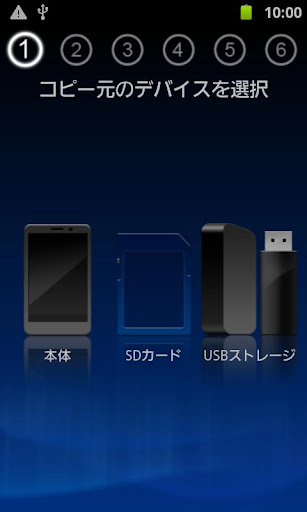
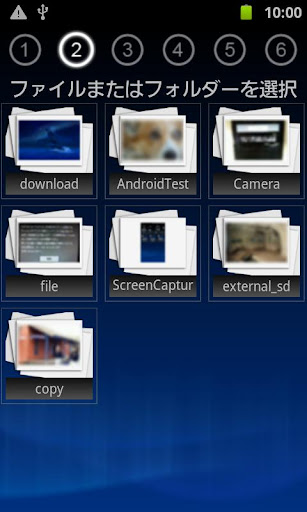
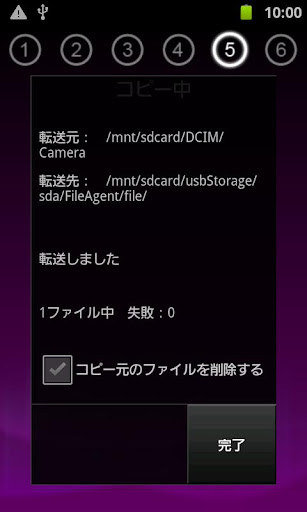
● Wizard mode that specializes in file copy
The file copy and the like USB memory connected via USB can easily exchange files a wizard!
● list the files of each video, music, photos
And to display for each category of videos, music, photos, files are easy to find!
● by the quick copy mode, and simple copy
Easily portable folder you have registered you can back up to, such as a USB memory.
(Only supported Android OS 4.0)
● also Nexus7 the corresponding
Even Nexus7 read to USB memory, you can do the writing.
Please refer to the detailed manual on how to use.
http://buffalo.jp/support_s/guide2/manual/fileagent/ja/index.html
[Supported OS]
Android2.2 ~ 4.0
(Quick copy mode corresponding only Android4.0)
[Tested terminal]
● USB memory corresponding smartphone
docomo SC-03D GALAXY SⅡ LTE
docomo SO-03D Xperia acro HD
docomo SO-02D Xperia NX
au IS12S Xperia acro HD
● USB memory corresponding corresponding tablet
ThinkPad Tablet 183827J
ThinkPad Tablet 183825J
ThinkPad Tablet 18382QJ
Sony Tablet S SGPT111JP / S
Sony Tablet S SGPT112JP / S
※ can not be written to the USB memory connected to the Toshiba REGZA Tablet.