リストック - 消費期限管理
jp.altive.restock
View detailed information for リストック - 消費期限管理 — ratings, download counts, screenshots, pricing and developer details. See integrated SDKs and related technical data.

Screenshots
Description
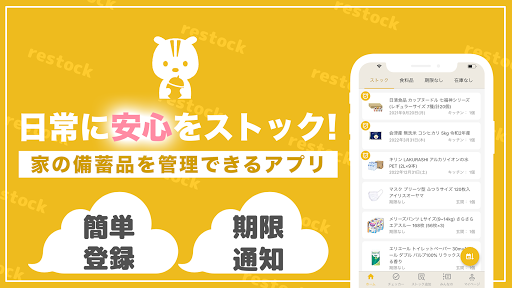
In case of emergency, increase your home stock and raise your awareness of disaster prevention.
"Listock" will help you manage your household stockpile smartly!
At my home, I buy food and pack it in my backpack in case of emergency.
However, I didn't know whether it was better to eat or buy more because the expiration date was not managed at all.
Therefore, I wanted an app that can be stockpiled slowly and comfortably, so I created this "Rikutok".
The important thing in stockpiling is to consume and replenish regularly.
This is called "rolling stock".
What stockpile or lack of stockpile by using "Listock"?
You can know if there is something whose expiration date or expiration date is approaching.
If you can't afford the deadline, eat or use it to consume it, and replenish it with new ones.
By circulating in this way, you can always have new stock.
Main functions
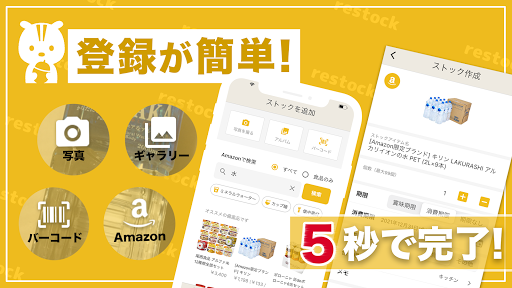
・ Search and register the products you want to stock on Amazon
・ Register existing products by scanning barcodes or taking pictures
・ Copy the registered stock and add the stock with a new expiration date
・ You can list the stock deadline
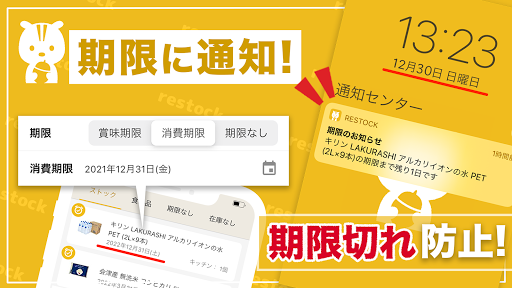
・ Send notification ○ days before stock deadline
・ Calculate the amount of drinking water and rice required for the number of family members
・ If you don't know what to stock, refer to the recommendations and everyone's stock.
・ Supports information sharing and model change on multiple devices
・ Dark mode ・ Sign in with Google compatible
Please use the in-app report form to report any requests or bugs to the app.
Or contact our support Twitter account.
@ReStockApp