iLink Device
it.ithings.ilink
View detailed information for iLink Device — ratings, download counts, screenshots, pricing and developer details. See integrated SDKs and related technical data.

Screenshots

Description
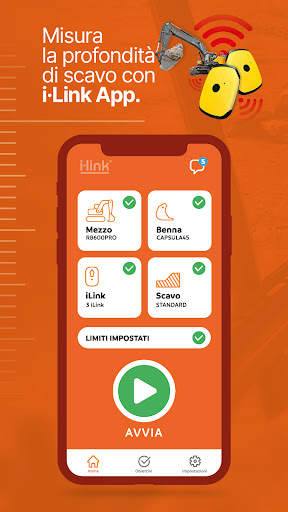
iLink device is the App that, associated with your devices, allows you to receive information on the excavation depth of an earth-moving machine in real time.
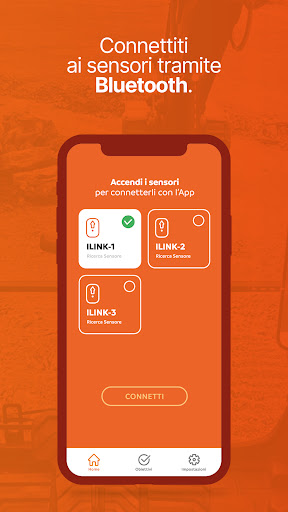
Connect via Bluetooth to the devices, perform the calibration and start digging.
Instantly receive information about your excavation such as:
• Digging Depth Measurement: Receive digging depth relative to the track plane in real time
• Digging distance measurement: receive in real time the distance from the tip of the bucket to a 0 point
• Alert notification for exceeding limits: By providing the system with a maximum height or a maximum depth, you get an audible and visual alert in case of exceeding this limit
• Guidance in grading mode: By giving the system specific instructions with respect to the desired inclined plane, you will be visually guided to create the grading
• Connection with Remote Live Desktop: send and store excavation data on a dedicated server and monitor the progress of the work from your office
• Receive notifications and goals: receive notifications and goals directly from the office to be achieved directly on your vehicle
• Geolocate: receive information on the position of your vehicle
-------------------------------------------------- -----------------------------
Follow the steps below:
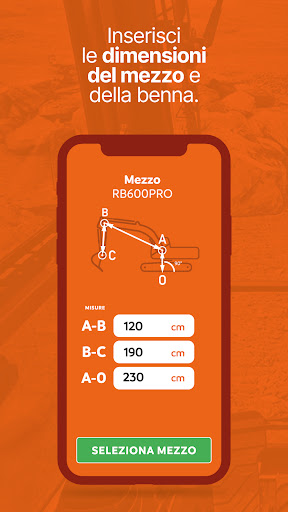
1. Enter the correct dimensions for your vehicle
2. Turn on the devices. The App will connect automatically
3. Position yourself in calibration as shown and click "Calibrate"
4. Begin your digging
-------------------------------------------------- -----------------------------
Using i-Link on your construction site:
- Improve the safety of your construction sites
- Detect the data with greater precision
- Reduce the number of workers near the excavation site, with a net reduction in the hourly cost
- Reduce digging times
-------------------------------------------------- -----------------------------