Smart CBI
it.gruppobper.bpercbimobile
View detailed information for Smart CBI — ratings, download counts, screenshots, pricing and developer details. See integrated SDKs and related technical data.

Screenshots


Description
Smart CBI is the Corporate Banking app of the BPER Banca Group intended for companies that have the Smart CBI or BPER CBI services.
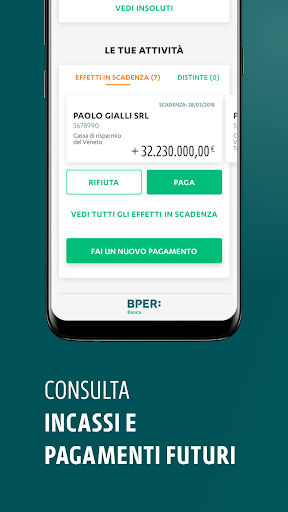
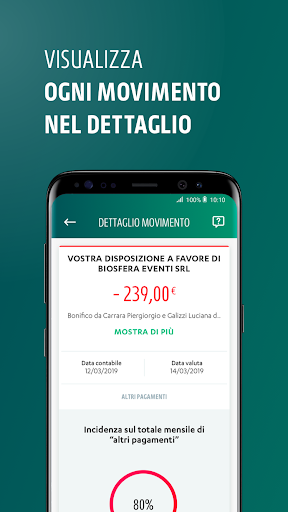
With Smart CBI it is possible to check the balance and movements of current accounts and, more generally, the situation of all relationships connected to the CBI workstation. It also has dispositive functions.
The app is free and is available for administrators of BPERCBI stations and for users who the latter choose to enable.
Smart CBI also allows both the workstation administrator and authorized users to receive notifications relating to operations, according to the settings defined by the administrator in the desktop version.
The app is safe: the anti-fraud measures adopted are the same as those provided for the CBI desktop version.
Through the app it is also possible to carry out disposition operations, signed by persons with signing powers deposited in the branch. Simply enter the OTP code generated on the token device provided by the bank or directly on the app.
The Smart CBI app is partially accessible. We are committed to constantly improving accessibility to allow everyone to make the best use of our services, with assistive technologies or dedicated configurations. This is why we will continue to make new updates to our services, our sites and our apps. We invite you to report suggestions or problems to us at accessibility@nexi.it
Accessibility Statement: to view the statement, copy and paste this link into a web page: https://cbi.bpergroup.net/ibk/documents/10476767/0/APP+Smartcbi+-+Accessibilit%C3%A0/c00dea50- 9076-4ab5-9d18-053a0f148277
CANCELLATION OF THE CUSTOMER ACCOUNT and DATA RETENTION
To request cancellation of the account from the SmartCBI app and to retain personal data, the customer can follow the instructions at the link: https://cbi.bpergroup.net/ibk/web/smartcbi/richestadicancellazionedellaccountdasmartcbi