Clock with Planisphere
io.github.withlet11.skyclock
View detailed information for Clock with Planisphere — ratings, download counts, screenshots, pricing and developer details. See integrated SDKs and related technical data.

Screenshots

Description
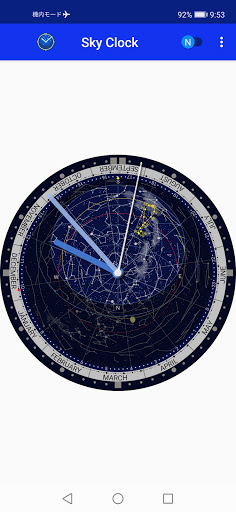
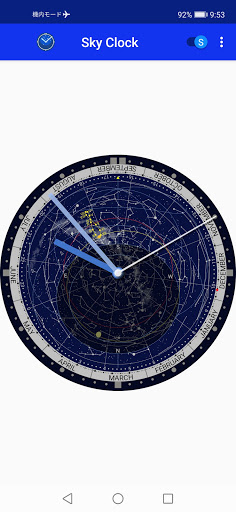
This is a clock application with a planisphere for Android. The planisphere shows the current sky at the observation location by setting the latitude and the longitude. You can switch the northern and southern celestial hemispheres. The application name was changed in April 2023.
Standard Time:
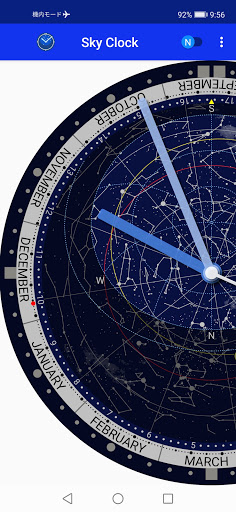
You can read the standard time of your time zone. It is indicated by a red point (today's date) as the value of right ascension.
Local Sidereal Time:
You can read the local sidereal time. It is indicated by a small yellow triangle.
Planisphere mode:
You can use as a planisphere. You can change date and solar time by moving the Sun (sidereal time is fixed), change date and sidereal time by moving the red spot (solar time is fixed), or change solar and sidereal time by rotating the ring of right ascension (date is fixed).
GPS Available:
You can use the GPS for setting your location.
Magnitude 6 star:
All of the stars that are brighter than a magnitude 6 star are displayed.
Constellation lines:
Constellation lines are displayed.
The Sun and Analemma:
The position of the Sun is displayed with analemma.
The Moon and the lunar phase:
The position of the Moon is displayed with the lunar phase.
Astronomical Twilight:
You can check astronomical twilight time with altitude line of −18°.
Automatic Update:
The view is updated automatically.
App Widget:
App Widget is available.
10-sec ad:
An ad banner is displayed for 10 seconds after launching the app. No ads are displayed after 10 seconds.