Roto Gears - WearOS Watch Face
in.thedesigncycle.rotogears
View detailed information for Roto Gears - WearOS Watch Face — ratings, download counts, screenshots, pricing and developer details. See integrated SDKs and related technical data.
- No items.
Screenshots

Description
Roto Gears
A Beautiful Rotating Gears watch face for Wear OS Devices.
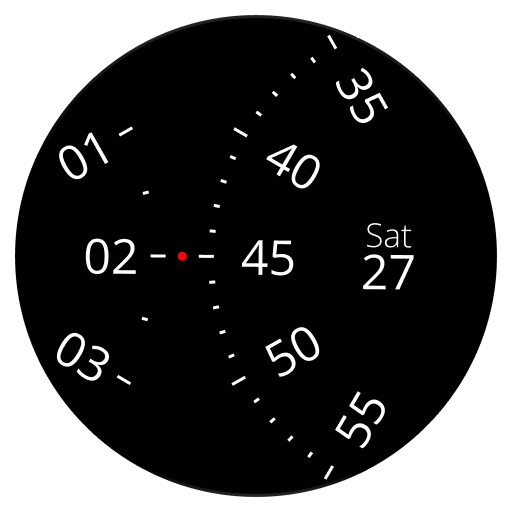
It is no secret that gears are the concealed mechanical elements in a watch that give the needles their different and precise speeds of rotation. They work in a rhythmic unison that is fascinating to see. So we came up with the idea of doing away with the standard anterior of a dial and bringing the gears forward.
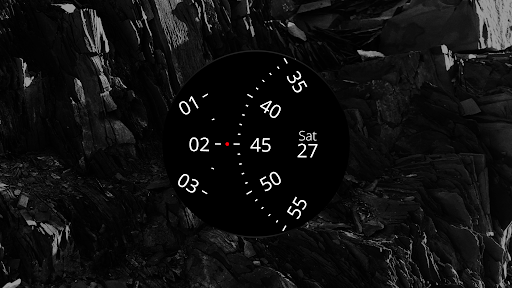
Roto Gears is a simple watch face that mimics the inner mechanical design of a watch on its surface. This idea is an extension of our product, Roto 360’s design. Instead of giving the dial a single pivot as we did in Roto 360, we displaced the hour and minute dials, making them wheel close to each other like two rotating gears. The dot at the centre works as the single indicator of time.
Features:
• 8 Pre-defined Themes
• Choose custom colors to create your own theme
• Complications
• 12/24 Hour mode
Requirements
Smart watch running Wear OS
Compatible with:
• Pixel Watch
• Samsung Galaxy Watch 4 & above
• Fossil Smart Watches
• Michael Kors Smart Watches
• Mobvoi TicWatch
or any device running Wear OS
Also check out our other watch faces
• Roto 360
• Time Tuner
• Tymometer
• Radii
Created by
Gaurav Singh &
Krishna Prajapati