Passport Photo & ID Print
id.passport.photo.my.number.print
View detailed information for Passport Photo & ID Print — ratings, download counts, screenshots, pricing and developer details. See integrated SDKs and related technical data.
- No items.

Screenshots
Description
ID Photo for Passports & Cards
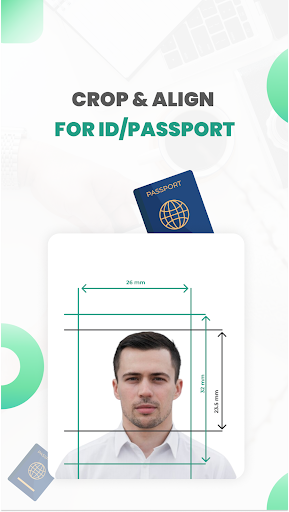
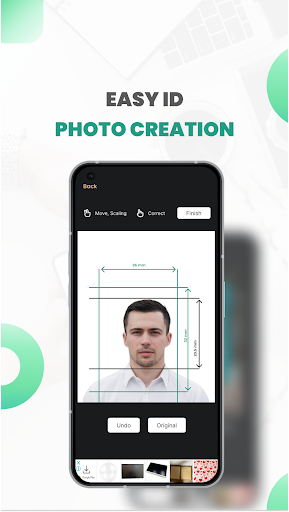
Create professional ID photos for passports, visas, driver’s licenses, my number and other official documents right from your smartphone! With ID Photo for Passports & Cards, you can easily transform any photo taken with your phone into a perfectly formatted ID photo. Whether you need a standard size or a custom dimension, this app has you covered.
Key Features:
🔥Create ID Photos from Smartphone Images:
Turn any photo into a high-quality ID photo in just a few taps. No professional camera or studio required!
🔥Customizable Sizes:
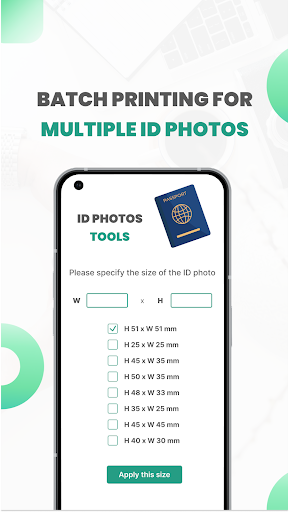
Choose from a wide range of standard ID photo sizes, including:
- 51 × 51mm (2 x 2 inches)
- 25 × 25mm (1 x 1 inches)
- 45 × 35mm
- 50 × 35mm (2 inches)
- 48 × 33mm
- 35 × 25mm (1 inch)
- 45 × 45mm
- 40 × 30mm
- Or specify your own custom dimensions for unique requirements.
🔥Multiple Photos on a Single Print:
Save time and paper by arranging multiple ID photos on one 4x6 inch (101.6mm x 152.4mm) print. Mix and match different sizes if needed.
🔥Home Printing Made Easy:
Print your ID photos at home using any printer compatible with smartphones or digital cameras. The app saves photos in JPEG format, ensuring compatibility with most devices.
🔥Unlimited Retakes:
Perfect for capturing the right shot, especially for children or anyone who needs multiple attempts.
🔥Black & White Conversion:
Convert color photos to grayscale (black and white) for ID photos that meet specific requirements.
🔥Save and Share:
Save individual photo data for future use or share directly with printing services.
🔥User-Friendly Interface:
Simple and intuitive design makes it easy for anyone to create ID photos without technical skills.
🔥Printing Guide in Japanese:
Detailed instructions in Japanese to help you print your ID photos correctly.
Why Choose ID Photo for Passports & Cards?
✔️Cost-Effective: No need to visit a photo studio or pay for professional services.
✔️Convenient: Create and print ID photos anytime, anywhere.
✔️Flexible: Supports a variety of sizes and formats to meet global standards.
✔️Time-Saving: Quickly generate ID photos in minutes.
Perfect For:
- Passports, visas, and immigration documents
- Driver’s licenses and national ID cards
- School or workplace IDs
- My number
- Any official document requiring a photo
Download ID Photo for Passports & Cards today and experience the easiest way to create professional ID photos from the comfort of your home!
✅Compatible with most smartphones and printers.
🫡For questions or feedback, contact us at 2kara.lab@gmail.com