원데이 - 다이어리, 일기, 메모, 일정
hs.app.diary
View detailed information for 원데이 - 다이어리, 일기, 메모, 일정 — ratings, download counts, screenshots, pricing and developer details. See integrated SDKs and related technical data.

Screenshots

Description
♡ One Day Features
▶ Various Calendar Screens
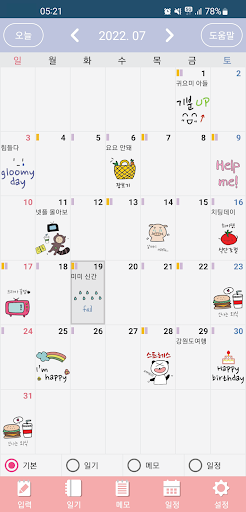
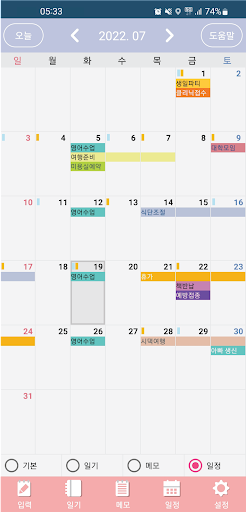
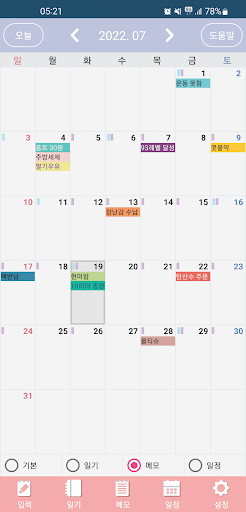
- Easily check your calendar with the Basic, Diary, Memo, and Schedule calendar functions.
(You can change the calendar mode by pressing the Basic, Diary, Memo, or Schedule selection buttons at the bottom. ^^)
▶ Convenient Lunar Calendar
- Easily check your lunar calendar and schedule.
(You can turn the lunar calendar display on or off in One Day's detailed settings. ^^)
▶ Various Diary Screens
- Enjoy the fun of writing a diary with various features like star ratings, stickers, designated dates, and statistics.
▶ Convenient Memo Screens
- Easily create memos with text color, background color, and grouping functions.
▶ Easy Schedule Management
- Easily manage important events, recurring events, lunar calendar events, and other schedules.
▶ Beautiful Calendar Widget
- Easily view your calendar from the home screen with the calendar widget.
▶ Even Easier!
- Easy-to-Use Help Center on each screen provides easy-to-follow instructions.
▶ Security and Data Backup and Recovery
- Password functionality is a must! - Data backup and recovery with Google Drive!
If you have any suggestions for additions, bugs, or fixes, please feel free to email us anytime. We'll be sure to take your valuable feedback into consideration!
Developer Email: devwlstn@gmail.com
Permission Description
▶ Photos, Videos, Files (Optional)
- Required for uploading photos.
▶ Notifications (Optional)
- Required for displaying notifications in the top bar.
※ Even if you don't agree to the optional permissions, you can still use the service, except for the features for which they apply.