Digital Clock - addfree
gd.digitalclock
View detailed information for Digital Clock - addfree — ratings, download counts, screenshots, pricing and developer details. See integrated SDKs and related technical data.
- No items.

Screenshots


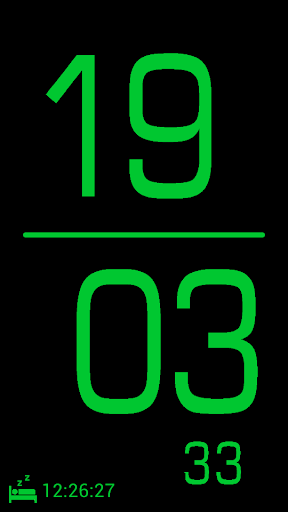
Description
Features:
----------------
Digital clock without advertising for free
12 or 24 hours time format
Maximum utilization of the display, large numbers
Colors for font and background arbitrary
Font of numbers selectable by swiping
Brightness adjustable by wiping across the display
Function in vertical and horizontal display orientation
Display can be switched on and off at night by tapping
Second display optional
Display of the next alarm or countdown until the next alarm optional
Setting alarm time via the standard app or any third-party application
Manual:
--------------
Briefly press the display to switch on and off
Function of the app is displayed in the off state by the alarm icon on the bottom left
Touch the display and swipe the display up and down to adjust the display brightness
Touch the display and swipe the display to the right or left to set the font for the numbers
Short tap of the icon on the bottom left to toggle between wake-up time and sleep time
Briefly tapping the alarm on the bottom left to start the Alarm App (this app must be selected the first time)
Long press on the alarm time on the bottom left to select a third-party application for the alarm time setting (the time until the appearance of the selection list may take a while, the display remains black)
Setup:
----------
Long press on the display to display the setup menu
Setting seconds display on / off
Setting wake-up time display on / off
The big eight in the setup displays the current color of the font
The surrounding color field displays the current background color
The selection of the change in color (font / background) is made by tapping the large eight or the color field underneath
Thereafter, the color selection is done using the two color fields