iStreams - Lands End
encryption.navtech.co.uk.istreams_kotlin_flavours.np255
View detailed information for iStreams - Lands End — ratings, download counts, screenshots, pricing and developer details. See integrated SDKs and related technical data.
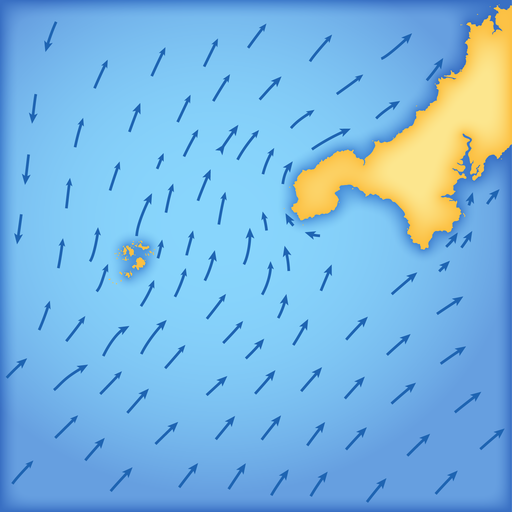
Screenshots


Description
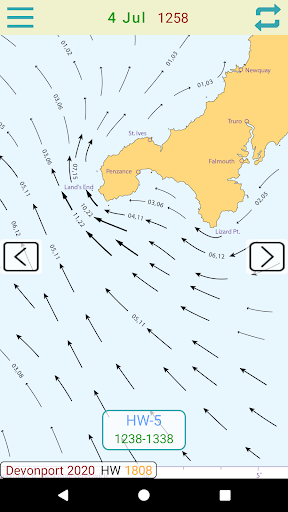
iStreams displays the valid hourly Lands End tidal stream atlas for the current real time, in reference to the time of high water at Devonport... a smart app, fully functional offline. With tools to measure tide set and interpolated rate.
The nearest Devonport HW time to the actual time is selected from the database and the relevant streams chart is displayed, together with the time period for which the chart is valid.
As the time moves to the next valid period, the relevant hourly chart is auto displayed.
* Swiping on the chart (or using navigation buttons), displays the next or previous tidal hour chart.
* Whenever the chart displayed is valid at the current time, the validity period is displayed in green.
* Pinching or double tapping the screen, zooms the chart
* Select Local or UTC time.
Select the 'Rate' tool to auto calculate the interpolated tidal rate when in between neaps and springs.
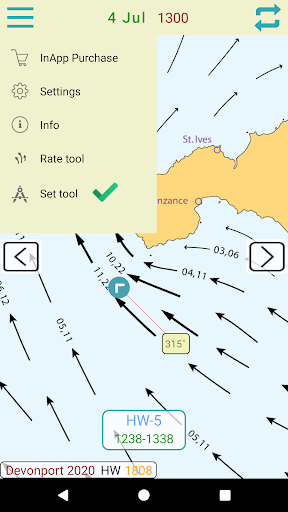
Select the 'Set' tool to measure the precise true course of any tidal stream arrow. (in-app purchase)
Select the 'CTS' tool to calculate a Course to Steer. (in-app purchase)
The app automatically selects the nearest Devonport HW time of the day, but if you want to see data for the next or previous HW of the day, swipe forward or back to advance the tidal hour.
For forward planning, tap on the date to select a different date, whereupon data relevant to that date will be displayed.