My Device Setting
devicesettings.deviceinfo.compass.qibla.testmydevice
View detailed information for My Device Setting — ratings, download counts, screenshots, pricing and developer details. See integrated SDKs and related technical data.
Screenshots



Description
My Device Setting- Test Device is one of the best applications designed to provide users with a comprehensive toolset for testing and customizing the settings of their devices. My Device Setting- The test Device comes with a variety of options to customise the settings according to their needs!
My Device Setting- Test Device comes with the best features to change every setting of your device within some seconds. You can customize your choice settings from our app which are mentioned below:
Device Information
The app starts by displaying detailed information about the user's device, including the dashboard, device, OS, CPU, battery, storage, sensors, network, and many more statuses. This feature allows users can quickly access the device's specifications with a simple tap with our app.
Testing
Users can run various performance tests, such as display color, multi-touch, Bluetooth, vibration, wifi, light sensor, flash, and overall performance. These tests provide valuable insights into how well the device handles resource-intensive tasks and can help users identify areas for improvement.
Compass/Shortcut
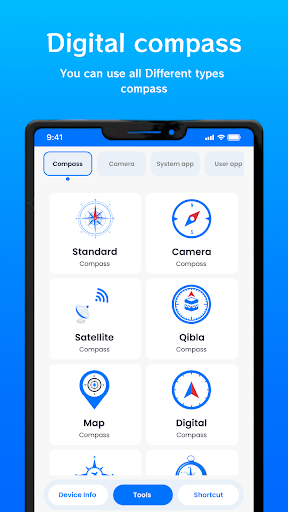
A compass is a simple yet essential navigation tool that is used to determine direction and find the way in the wilderness. Compasses come in various types and have different features to suit various ways. Our app with you can use different types of compasses such as Standard, Digital, Qibla, Camera, Satellite, Map, Aviation, Vintage, and many more. You can create shortcuts to different tools like WiFi, Brightness, Flashlight, Bluetooth, Airplane mode, Data Usage, Sounds, Location, Hotspot, and many more tools.
KEY FEATURES:
* All-in-one settings customizer
* Easy to test various performance
* Find all useful information about tools with a simple touch
* Check CPU and Internal storage usage
* Check battery status
* Quick way to create shortcuts in a simple touch
* Various compasses are available
* Find the details of the front camera and back camera
* View system apps and user app
* Simple app comes with clear UI Design