maps + more
de.volkswagen.mapsandmore
View detailed information for maps + more — ratings, download counts, screenshots, pricing and developer details. See integrated SDKs and related technical data.

Screenshots


Description
Turn your smartphone into a full-fledged infotainment system for your up! or e-up!
The Volkswagen maps + more app* has been completely redesigned to give you an even more intuitive user experience and helpful new features.
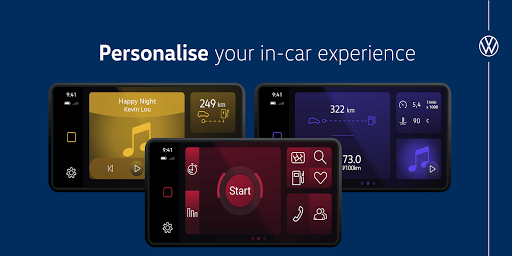
Now you can easily customise your dashboard with widgets to access your favourite features.
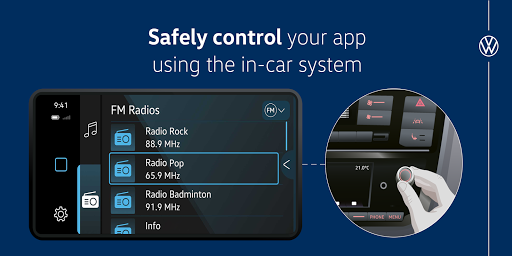
With Volkswagen maps + more you can listen to music, control the radio and navigate offline on 2D or 3D maps.
The turn-by-turn voice output for the navigation function and the speed warning make your daily journeys much more relaxed.
Helpful data such as fuel consumption, driving times, mileage and engine speed can now be conveniently displayed in the maps + more app.
And the Think Blue. trainer will help you to drive more efficiently and save fuel or energy.
As an e-up! driver, you'll find many additional features that help you plan your charging efficiently and make your everyday life with an electric car even easier:
For example, departure times can be conveniently set or a search for charging stations.
Your safety is very important to us, so you can conveniently control the app with the controls for the radio. We wish you a pleasant and safe journey with your Volkswagen up!
Configuration wizard:
1. Download the maps + more app from the App Store
2. Pair your smartphone with your vehicle via Bluetooth.
3. Open the maps + more app
4. Accept the terms of use.
5. maps + more will try to connect to your vehicle. A code will be displayed in the app and on your infotainment system. Confirm this code to continue.
6. maps + more is now connected to your vehicle and ready to use.