MAKE01 WiFi Connect App
de.slgkunststoff.make01
View detailed information for MAKE01 WiFi Connect App — ratings, download counts, screenshots, pricing and developer details. See integrated SDKs and related technical data.

Screenshots



Description
The innovative Outdoor-Loudspeaker MAKE01, manufactured in the Black Forest sets new standards: This high-quality design multimedia device represented through the brand BLACK FOREST, which for the first time combines your audio entertainment with atmospheric lighting into one holistic, multi-sensual experience, can now be integrated in every wireless network!
The MAKE01 Connect App enables you to enjoy a unique sound experience by wirelessly connecting one or more MAKE01 simultaneously with your network.
This is how you do it:
1. Please use Settings > Wi-Fi to connect your iPhone with the network “LinTech Air-669xxx”.
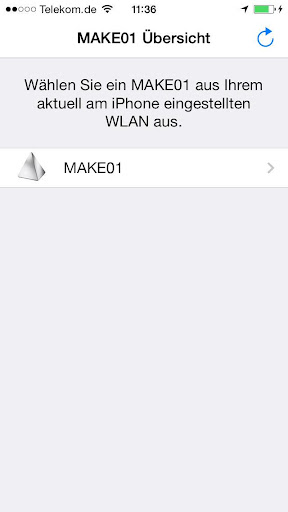
2. Open the MAKE01 Connect App and choose “MAKE01”.
(If you wish you may name your “MAKE01“ according to your preferences or you may choose one of our predefined names from the list below)
3. Connect the MAKE01 with your favored network by using > Network settings.
From now on you can use the MAKE01 as an AirPlay compatible speaker, which is available in your network.
4. You can now close the app and reconnect your iPhone with your usual network.
References:
For integrating several MAKE01, please repeat the steps mentioned above for each device.
Simultaneous music streaming requires the use of a player like Apple iTunes on your PC or Laptop/Notebook, which is compatible with multiple speakers.
After a successful network integration, the connection will be maintained until using the function „Reset Wi-Fi module“. Subsequently, the MAKE01 again becomes an Access Point.
Enjoy the light and sound fascination - MAKE01.
You have never seen music like this before!