Android System Widgets
de.program_co.asciisystemwidgetsdemo
View detailed information for Android System Widgets — ratings, download counts, screenshots, pricing and developer details. See integrated SDKs and related technical data.

Screenshots

Description
Collection of the following widgets:
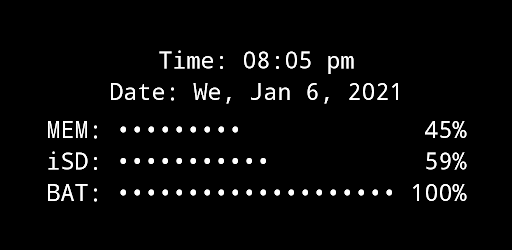
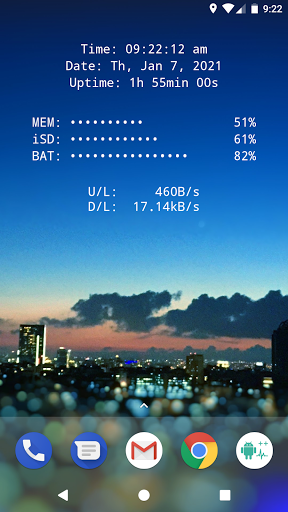
•CLOCK / UPTIME
•MEMORY usage (RAM)
•SD-CARD usage
•BATTERY level
•NET SPEED (current up-/down speed)
•MULTI widget - combining the above
-MULTI widget is highly configurable, you may choose wich of the above elements you want to see
•FLASHLIGHT (auto-off: 2m)
-you can select one of four flashlight icon sets
The Permission for camera & flashlight is needed for the flashlight functionality. The app can not take any pictures!
This is the free version of the app. It has minor limitations in available settings, compared to the + version:
•MULTI widget: some elements disabled
•no font- and background colors selectable
•battery, SD and RAM update interval fixed at 60s
•flashlight auto-off after 2mHOW TO:
*** in case widgets cannot load after adding to the home screen (sometimes happens after fresh install) an app re-install or a device restart might help ***
*** in case the widgets do not update (or show "null") please start the app once ***
1. Set up all widgets in the app to your needs
2. Add widget(s) to your home screenTAPPING ACTIONS:
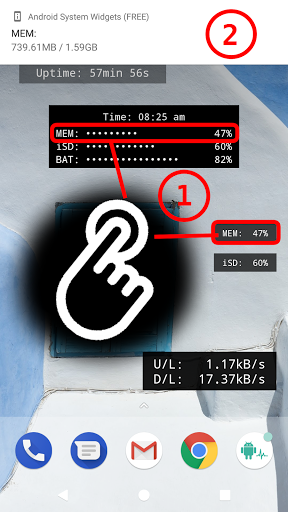
Tapping (most of) the widgets will have certain results, like showing the exact values of the memory or SD-card usage as toast message
for example:
"internal SD:
753.22MB / 7.89 GB"GLOBAL SETTINGS:
•WIDGET FONT COLOR (completely free) *** +Feature!!
•WIDGET BACKGROUND COLOR (black or white) *** +Feature!!
•FREELY CHOOSABLE CHARACTERS FOR PERCENTAGE BAR DISPLAYMost of the widgets are configurable as follows:
•widget background opacity
•font size
•length and accuracy of percentage bars (or compact mode)
•alignment of widget content (you can more precisely adjust the alignment on the screen)