MAX! Remote
de.jutzig.max.remote.activity
View detailed information for MAX! Remote — ratings, download counts, screenshots, pricing and developer details. See integrated SDKs and related technical data.

Screenshots



Description
Enables direct control over the basic functions of the MAX! System from eQ-3, ELV and Debitel SmartHome.
An account in the MAX! Portal is not necessary.
The application requires a network connection to the MAX! Cube and is therefore primarily meant for usage at home.
To be able to also control your heating while you are away you need to configure a VPN connection on your router.
NOTE: This app is not affected by the planned server shutdown of eq3/ELV, the app will still work the same as before.
Features:
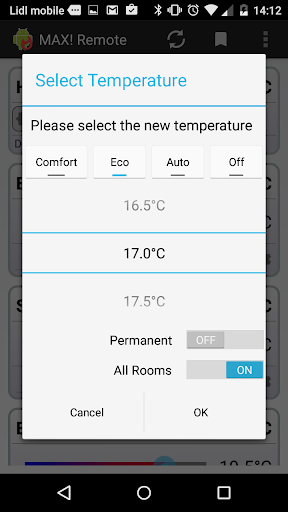
* 1-click change between Auto, Comfort, Eco and Off mode for all rooms
* Shows actual and target temperature (even without wall mounted thermostat)
* Management of week programs
* Saves and restores heating profiles
* Support for Tasker/Locale/Llama
* Google Drive integration
* Shows local weather information
* Shows the current engagement of the heating valves
* Temperature slider for adjusting the room temperature
* Switch between auto, manual and boost mode for individual rooms
* Shows indications for low battery, open window and radio connectivity problems
This application is unofficial and not connected to the manufacturer of the MAX! system in any way.
To be able to use this application you need a MAX! Cube that is reachable by network.
Attention: While the MAX! configuration software is running the Cube accepts no additional network connections. Please close other MAX! application before using this software.