Key (Emoji Cuckoo Clock)
de.gfe.lipsia.key
View detailed information for Key (Emoji Cuckoo Clock) — ratings, download counts, screenshots, pricing and developer details. See integrated SDKs and related technical data.
- No items.

Screenshots



Description
Features:
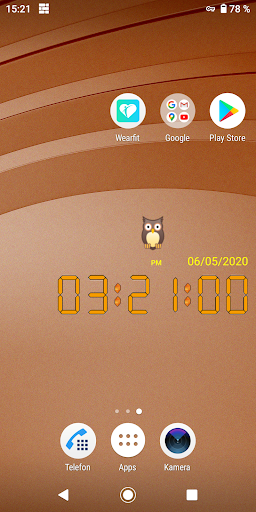
→ Choose your favorite Emoji, which is displayed every minute and hour
→ Or let a random emoji surprise you
→ Hourly Cuckoo animation
→ Cuckoo animation every minute
→ Shows the time with seconds
→ Transparent background
→ Choose your own color scheme and digit style
→ Select your own date format: 12h /24h clock
→ Silent
→ Select your favorite emoji
→ No advertisments
→ No WiFi or data connection necessary
→ Perfect for children
→ Battery friendly
→ Display area and size on home screen can be changed by clicking.
→ Tap on DATE to open the menu.
→ The App doesn't collect, use, store and share or disclose any information about the
user or any other person.
→ This is ONLY a KEY to unlock Emoji Cuckoo Clock! You need the free version to use
this key!
Link to the free version:
https://play.google.com/store/apps/details?id=de.gfe.lipsia.clock
Thank you for using the Emoji Cuckoo Clock!