Smart Cast to TV: Screen Share
com.zogoglobal.screen.mirroing.casttotv
View detailed information for Smart Cast to TV: Screen Share — ratings, download counts, screenshots, pricing and developer details. See integrated SDKs and related technical data.

Screenshots
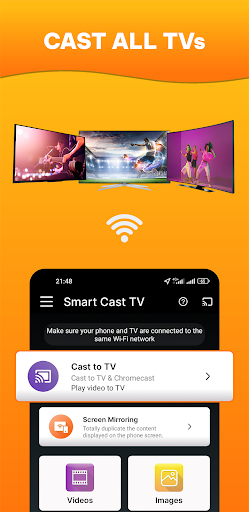
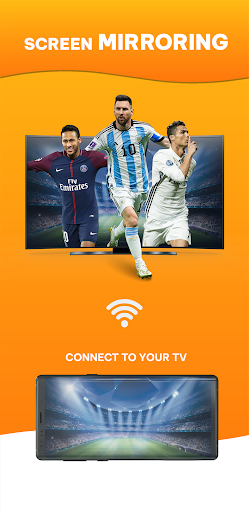


Description
🎉 Welcome to Smart Cast to TV: Screen Mirroring, the most advanced and versatile casting application on the market. Seamlessly casting content from your device onto larger screens has never been this intuitive and powerful.
🌟 Why Smart Cast to TV: Screen Mirroring Stands Out 🌟
🌐 Universal Compatibility: Whether you've got a Chromecast, Roku, Apple TV, or another device, experience smooth casting with perfect integration.
🎬 Crisp HD Quality: Enjoy cinema-like visuals. Relish movies, shows, personal videos, and even games in stunning HD.
🎶 Diverse Media Casting: From songs to movies to cherished photos, cast effortlessly.
🎮 Gaming Just Got Bigger: Experience gaming on wider displays with zero lags.
🖱 Simplified User Experience: Sleek design ensures even beginners can navigate with ease.
🔒 Safety & Reliability: Stream with confidence, knowing your data is secure.
🏆 Global Recognition: Trusted by thousands, our high ratings showcase our quality.
🔍 Smart Cast to TV: Screen Mirroring Features: 🔍
🔄 Adaptive Streaming: Quality adjusts based on your connection.
📋 Playlist Creation: Queue favorites for continuous enjoyment.
⚙️ Customizable Settings: Adjust stream quality, subtitles, and more.
🛠 Regular Updates: Get the best features and fixes with continuous refinement.
In Conclusion
🌌 When it comes to mirroring content, Smart Cast to TV: Screen Share is unparalleled. Whether presenting, binge-watching, sharing photos, or gaming, experience the best. Don't just cast TV, smart cast TV!
📥 Embrace the future of streaming. Download Smart Cast to TV: Screen Share now!
NOTE
Screen Mirroring is supported by all Android devices and Android Versions. If you face any problems with your device, feel free to contact us!
PLEASE CONTACT US at zogomobi@gmail.com for any issue or feature request prior to leave a bad comment, we would be pleased to provide you any help!