Image Merge
com.zilory.imagemerge
View detailed information for Image Merge — ratings, download counts, screenshots, pricing and developer details. See integrated SDKs and related technical data.

Screenshots


Description
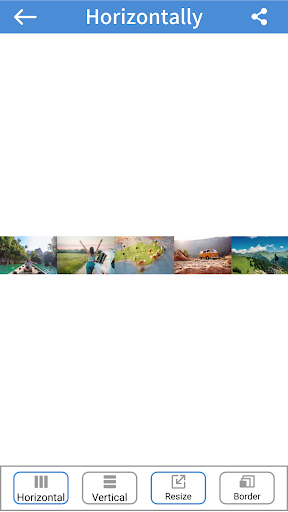
Merge images, combine multiple images vertically or horizontally
Merge images and combine multiple images with collage
Custom sorting, image and photo mosaic order can be sorted freely
Quickly clear the list of abandoned images to facilitate new creation
Left 90 degree rotation
Right 90 degree rotation
Vertical Mirror Flip
Horizontal Mirror Flip
Crop the selected image
Customize the clipping range and take pictures as you like
Crop the selected image to free scale
Crop the image at 1:1 2:3 3:2 16:9 9:16 4:3 3:4
Different image adjustment options for combining images of different sizes
Save the created image to the album for sharing with friends
Lightweight and easy to use
Friendly interface design
About the Merge Image option
There are two modes for merging images.
The first is to merge vertically. The picture is merged into the picture from top to bottom.
The second is horizontal merging, which combines from left to right into a picture.
You can choose to merge images vertically with or without borders.
You can also choose to merge images horizontally with or without borders.