My Test - Test with Excel
com.zeallat.jooseok.mytest.free
View detailed information for My Test - Test with Excel — ratings, download counts, screenshots, pricing and developer details. See integrated SDKs and related technical data.

Screenshots


Description
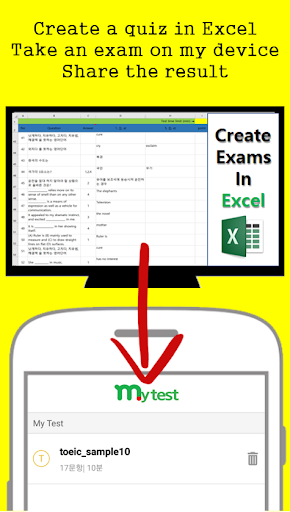
My Test is a simple App that can remote test a person or a party with Excel file of quiz data.(It can be used for distance learning, distance education)
* Quiz can be sent easily. (Messenger, Web).
* Sample questions can be downloaded at http://testeverything.info
* Results can be shared. (score and articles with wrong answer).
* No need to sign in.
[how to use]
A supervisor
1. Download the form from website. (http://testeverything.info)
Form download URL http://testeverything.info/download.php?file=mytest_form.xlsx
2. Set questions and answers on Excel sheet.
https://youtu.be/KjG6kz-FUe8
3. Share it with members in various ways (web, messenger)
Tester
1. Save the Excel file (download or receive)
2. Test set → Import the Excel file.
3. Start the test.
4. After the test, check the score and share the result.
* My Test - Test and share your study with Excel files.*
※ Functions
- Import Excel files.
- 30 questions test is available.
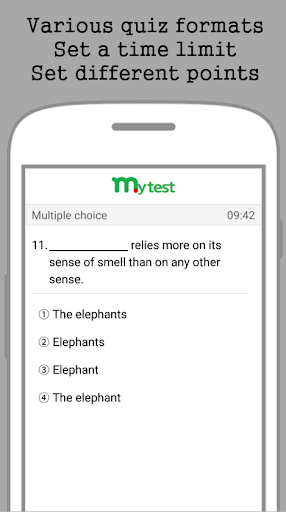
- Test for subjective & objective test(4 choice)
- Test for short answer type & multiple answer type
- Can be reviewed after the exam
※ Paid Version
- No ads.
- 200 questions test is available.
- Five choice objective test is available.
Application you need is finally released.
My Test is very easy to use even though you are not familiar with Excel.
You can save Excel File in your mobile, upload it on a web and share it very easily without sign in.
All kinds of type (short answer, descriptive expression, multiple choice, etc.) is available, and can get a result at once and results can be shared in many ways.
My Test is very useful to help you to remind vocabularies as well.
You can study with typing and also can review with a test.
My Test is here for all kinds of your test such as foreign language, license, entrance exam and etc..
Hope you to achieve.