Smart Wallet Manager - Budget
com.zahidaparveen.smartwalletmanager
View detailed information for Smart Wallet Manager - Budget — ratings, download counts, screenshots, pricing and developer details. See integrated SDKs and related technical data.
- No items.

Screenshots
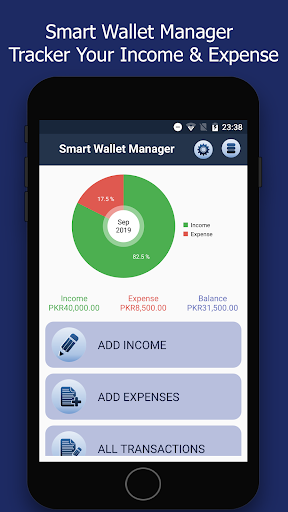


Description
Smart Wallet Manager - Budget Tracker is dominant in managing your personal wallet and tracking your expenses so you can enjoy a carefree spending of money. Budget manager allows planning your financial activities by providing accurate user interface. This app serves the purpose of optimizing your expenses and managing your wallet smartly.
Smart Wallet Manager - Budget Tracker features:
• This app allows to add income and expense with different payment types i.e. Bank Transfer, Cheque, Credit Card, Debit Card, Mobile Wallet
• This application allows to categorize your income and expenses such as Business, Freelancing, Salary and expense like Bill, Business, Drinks, Education, Entertainment, Food, Fuel etc
• Smart Wallet Manager allows you to use calendar and clock to manage transaction listing (daily, weekly, monthly)
• This app provides you exceptional view to compare your income and expense through charts.
• This app provides you filtered reports.
• Guide:
You can get the report for income vs expense or income or expense mode and category for today, Yesterday, Last Week, Current Week, Last Month, Current Month, Current Year, Last Year Or between any two date not exceed the current date)
• Settings:
o Set currency symbol,
o Set Date Time Format.
o Manage Category(Update or add new one)
o Manage Mode (Update or add new one)