PrivateDNS Switcher AdGaDo
com.yoo.kei.AdGaDo
View detailed information for PrivateDNS Switcher AdGaDo — ratings, download counts, screenshots, pricing and developer details. See integrated SDKs and related technical data.

Screenshots


Description
Only one Private DNS can be saved, and it is not suitable for frequent replacement.
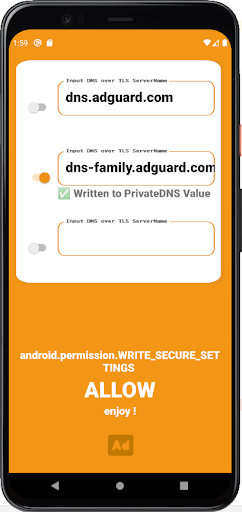
It makes it possible to check the correctness of the Private DNS Server address in the application, save multiple settings, and easily switch the address.
After connecting to the PC, permission of WRITE_SECURE_SETTINGS is required in adb.
1. Install this application.
2. Enable USB debugging on your smartphone.
3. Install the ADB driver on your PC.
4. Connect your PC and smartphone via USB and pass the following ADB command.
adb shell pm grant com.yoo.kei.AdGaDo android.permission.WRITE_SECURE_SETTINGS
5. Success if the screen of this application changes from Deny to Allow.