Scan Master - Image to Text
com.ylm.zzpdf
View detailed information for Scan Master - Image to Text — ratings, download counts, screenshots, pricing and developer details. See integrated SDKs and related technical data.

Screenshots


Description
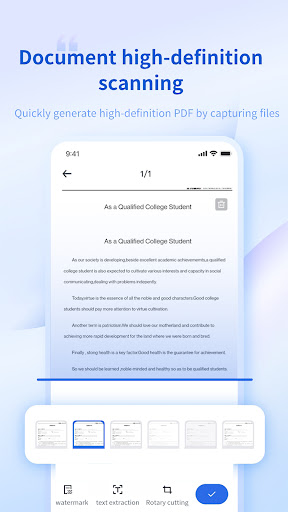
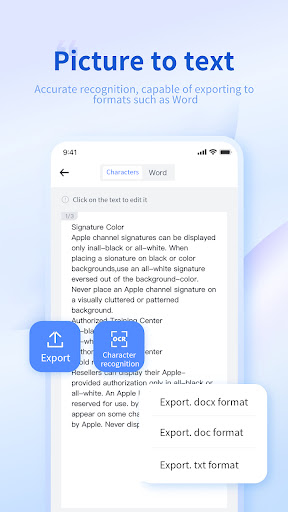
Scan Master is a powerful scanner application that helps users scan, edit and convert file/picture content on their smartphones. Scan Master quickly scans paper documents into clear images/PDF through your mobile phone, and uses OCR extraction technology to convert PDFs and images into editable Word, Excel, etc.
* Extract text from images
Scan Master is a powerful document scanner that extracts text from images with OCR (Optical Character Recognition) functionality for further editing or sharing, making it easier than ever to convert images into high-quality digital assets.
* File format conversion
Scan Master supports the mutual conversion of hundreds of file formats, such as PDF to Word, word to PDF, PDF to Excel, PDF to CAD and other common document format conversion functions.
*File editing
Scan Master lets you annotate files or add custom watermarks to files on your smartphone.
*Share PDF/JPG files
Scan Master serves as your convenient document office assistant, easily sharing PDF or JPG documents with others via social media, email attachments or sending documents.
*Keep important PDF files properly
Scan Master attaches great importance to your data privacy and document security. You can set a PDF password through Scan Master to add an extra layer of security to sensitive documents.
Scan Master also supports the following features:
1. Edit and export OCR results and document comments to Word or txt files.
2. Convert pictures to editable Word and Excel.
3. Convert commonly used pictures, videos, and audio formats.
4. Batch compression of PDF, word, PPT, pictures, videos and other files.
3. Implement PDF reading and PDF editing functions on your mobile phone.
4. PDF splitting and merging, PDF adding and deleting watermarks, PDF image extraction and other functions.
5. Convert various CAD versions to each other.
6. Smart cropping and automatic enhancement make text and graphics look clear.
and more...
We'd love to hear your feedback: zhuanzhuandashi@gmail.com.