Dual Magnifier
com.widget7.dual.magnifier
View detailed information for Dual Magnifier — ratings, download counts, screenshots, pricing and developer details. See integrated SDKs and related technical data.
Total installs
11.7K(11,747)
Rating
3.8(4 reviews)
Released
October 7, 2020
Last updated
July 25, 2025
Category
Tools
Developer
Widget7
Developer details
Name
Widget7
E-mail
yangyz20191101@gmail.com
Website
unknown
Country
unknown
Address
unknown

Screenshots


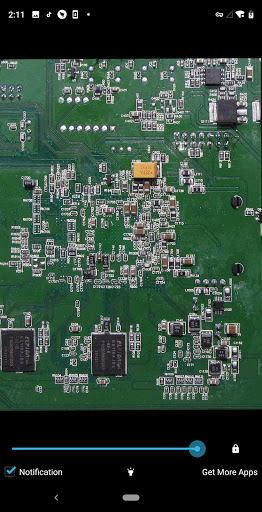
Description
1. Why do you need Magnifier App?
You don't need to carry a magnifier anymore. When you want to magnify small things and texts, Magnifier App can be the solution.
2. Why do you need the Dual Magnifier?
Generic Magnifier App needs to manually adjust the screen zoom to find the object, you will be in pain.
Dual Magnifier can display two zoom images, you can see the details of the object and the whole object clearly at the same time, you don't need to adjust the focus manually.
It also supports double zoom than orginal camera. For example, it can zoom 8x if the mobile only supports zoom 4x.
3. What is the Dual Magnifier?
Dual Magnifier is a simple, easy-to-use and completely free Magnifier App, which can display both normal and enlarged magnifier images at the same time.
4. How to use the Dual Magnifier?
* One-click to open or pull down the notification bar to open.
* Tap the screen to switch between dual magnifier mode or single magnifier mode.
* When in the dark, tap "Light" to illuminate the object with flashlight.
* Tap "Lock" to freeze the picture.