Mobikul CS-Cart Multivendor
com.webkul.cs_cart_mobikul_multivender
View detailed information for Mobikul CS-Cart Multivendor — ratings, download counts, screenshots, pricing and developer details. See integrated SDKs and related technical data.

Screenshots
Description
Full Details Over Here --> https://store.webkul.com/CS-Cart/Mobile/CS-Cart-Multivendor-Mobikul-Mobile-App.html
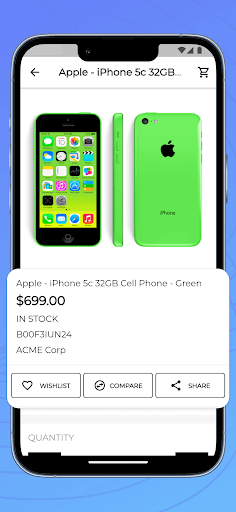
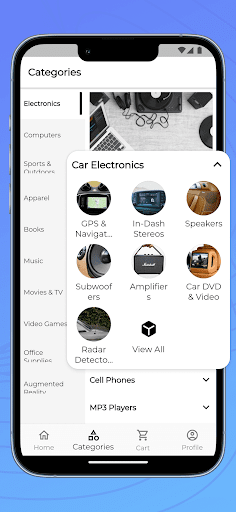
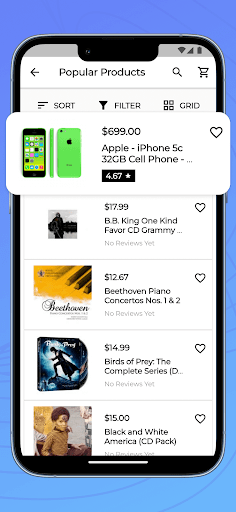
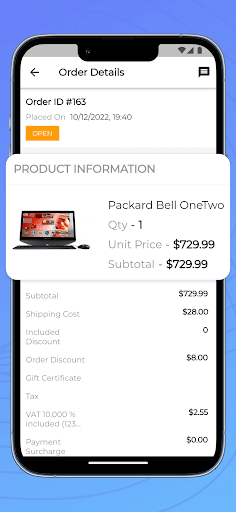
Mobikul marketplace is a mobile application for CS-Cart based Multivendor websites. By installing Mobikul marketplace your customers can access your multivendor marketplace on the go. Your Store's Customers can access their whole Account information and can also edit it, and also can view all sellers information for particular product.
In Mobikul multivendor marketplace mobile app we have given separate seller product collection page and separate seller with feedback support rating.
Currently all the products, customer, category, etc (including all the data visible on mobile) are synced with the website https://cs-cart.webkul.in/mve413/
admin link:
https://cs-cart.webkul.in/mve413/demoadmin.php
Highlighted Features are :
★ Seller List.
★ Seller Profile.
★ Multiple profile.
★ Seller Collection Page.
★ Option to select shipping method according to vendor at user/customer end is available.
★ Marketplace Landing Page.
★ Seller Details on Product Page.
★ Can Review Sellers.
★ Localisation (multi lingual support).
For the customisation of this app drop us mail at or click support@webkul.com
CS-Cart Mobikul Multivendor Application Builder is pre-build mobile app you just need to configure it with your CS-Cart store through RESTful (web service), change app name, replace app icon and banner with your store icon and banner and just release it on play store.
To find out more about the product:- https://mobikul.com/platforms/cs-cart-multivendor-mobikul-mobile-app/
This configuration can be done by yourself, or we can do it for you.