Pars Lidia Digital Watch Face
com.watchfacestudio.parslidia
View detailed information for Pars Lidia Digital Watch Face — ratings, download counts, screenshots, pricing and developer details. See integrated SDKs and related technical data.

Screenshots

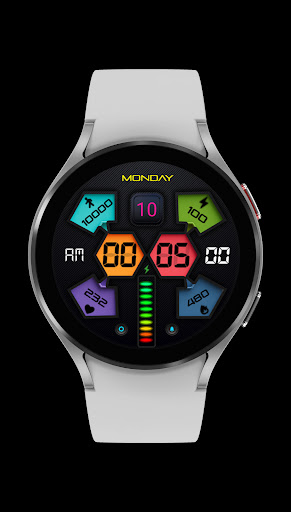
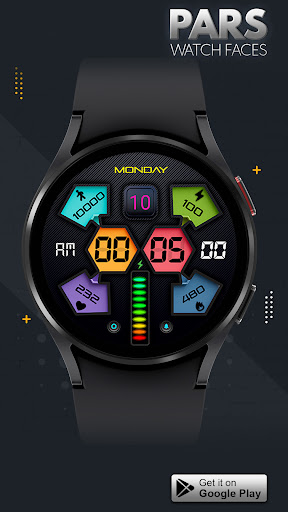
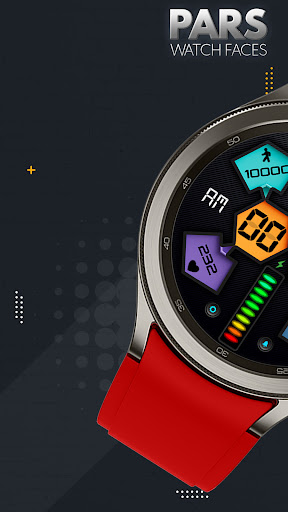
Description
Pars Lidia Digital Watch Face is designed for WearOs devices and compitable with Wearos Api 34+ devices.
The perfect looks and easy to read digital watch face, by Pars for Wear OS.
FEATURES
* Digital clock with 12/24Hr Formats ( 0 is not included in 12hr)
* Day of the week (multi-languages).
* Date of the month
* Battery Indicator
* Battery, Kcal, Steps & Bpm Counters
* Always on view
* Heart Rate, Alarm & Settings App Shortcuts
MY WATCH FACES CATALOG
https://play.google.com/store/apps/dev?id=7655501335678734997&hl=tr&gl=US
NOTE :Make sure you have allowed the access sensor.
IMPORTANT NOTICE :
After installation, the watch face can load the last heart rate measurement result, but it doesn't have to.
The watch face does not automatically measure and does not automatically display the heart rate result.
To view your current heart rate score, you'll need to take a manual measurement.
To do this, sit still, wait a few minutes and click on the heart rate display area.
Wait a few seconds. The watch face will take a measurement and display the current result.
Do this whenever you want to see your current heart rate.
NOTE : If you get the message "Your devices are not compatible" instead of app on phone, please use Play Store in WEB browser from PC or Laptop.
NOTE 2 : Please read the installation guide on the page below carefully.
https://www.parswatchfaces.com/installation-guide/
FOLLOW US :
FACEBOOK
https://www.facebook.com/profile.php?id=100078915463662
INSTAGRAM
https://www.instagram.com/parswf/
TELEGRAM
https://t.me/parswatchfaces
if you have any question, please contact with me: wfpars@gmail.com
I would be very grateful for the rate and review in the Store.
Thanks.