OniOn watchface 005 Pixel
com.watchfacestudio.onionpixel05
View detailed information for OniOn watchface 005 Pixel — ratings, download counts, screenshots, pricing and developer details. See integrated SDKs and related technical data.
- No items.
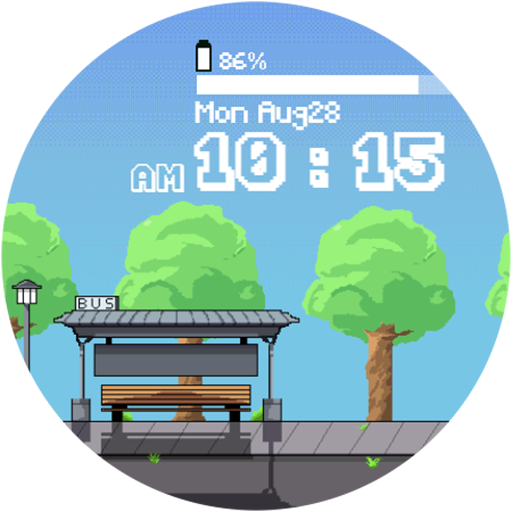
Screenshots

Description
Watch face features:
- Divided by am/pm, the time is displayed as a digital clock.
- The battery capacity is displayed.
- Play Pixel Animation (There is an animation play only at night.)
- There are three different backgrounds over time.
- Theme of six colors
*** Installation Notes***
1. Make sure your watch is properly connected to your phone
2. Tap the screen of the the phone app and a few minutes later, the clock screen will be installed.
- The Phone app only serves as a placeholder to make it easier to install and find watch faces on your Wear OS watch.
- Don't worry if it stops in the payment loop. Even if you receive a second payment request, you will be charged only once. Wait 5 minutes or restart the clock and try again. (This may be a synchronization problem between the device and the Google server.)
*** In case of a "no compatible devices" error, please use a web browser instead of the mobile app