Jeweler Basic Hybrid
com.watchfacestudio.jewelerbasichybrid
View detailed information for Jeweler Basic Hybrid — ratings, download counts, screenshots, pricing and developer details. See integrated SDKs and related technical data.
Total installs
444(444)
Rating
0.0
Released
February 2, 2022
Last updated
April 6, 2022
Category
Personalization
Developer
Jeweler & Broda
Developer details
Name
Jeweler & Broda
E-mail
dareczekw300@gmail.com
Website
unknown
Country
Poland
Address
02-776 Hawajska Street 3/36, Warsaw, Poland
Android SDKs
- No items.
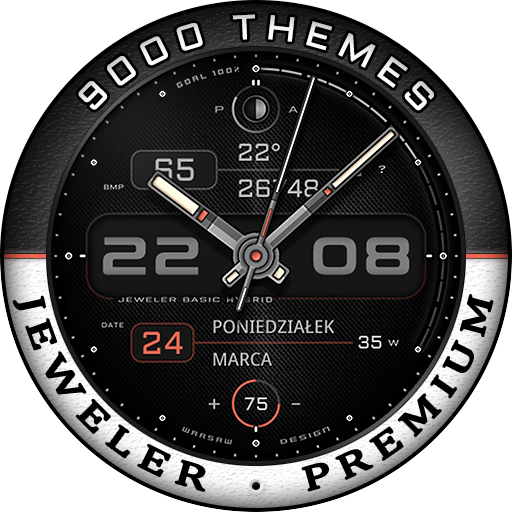
Screenshots
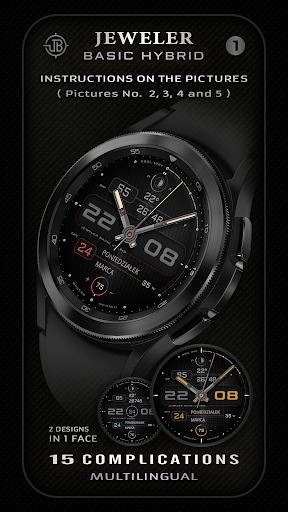


Description
IMPORTANT NOTE:
1.
If you see a message "Your device is not compatible", use Play Store on the WEB browser from PC/Laptop instead of the app on phone.
2.
The heart rate on the watch face is NOT synchronized with Samsung S Health, Google Fit, or any other app. It works independently. You need to tap the HR field to measure your heart rate. Also, make sure that the screen is turned on and that the watch is worn correctly on the wrist.
3.
Make sure you have enabled all permission from settings -> applications.
This watch face was developed with Samsung’s new "Watch Face Studio" tool for devices based on the new WearOs Google/One UI Samsung operating system like Samsung Galaxy Watch 4.
Being new software, there may be some functionality issues initially.
Check the pictures for more details and instructions.
Please write to dareczekw300@gmail.com for any questions.
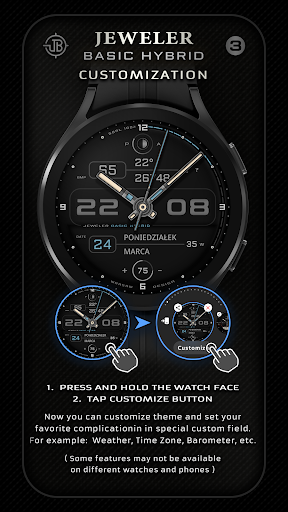
CUSTOMIZE INSTRUCTION:
Touch and hold the display, then tap on customize option.
Now you can customize a theme and set your favorite complication in a special custom field.
For example Weather, Time Zone, Barometer, etc.
( Some features may not be available on different watches and phones )
All changes can be saved and are retained after restarting the watch.
HEART RATE MEASURING:
Tap the HR field to measure your heart rate. Please wait a moment for the correct result. Note, the heart rate on the watch face is NOT synchronized with Samsung S Health, Google Fit, or any other app. It works independently. You need to tap the HR field to measure your heart rate. Also, make sure that the screen is turned on and that the watch is worn correctly on the wrist. While measuring, the heart icon will blink and after a few seconds, a new HR value will appear on the watch face.
FEATURES:
- Multilingual
- 2 Designs in 1 face
- Display 15 Complications
- No leading "0" in 12h version
- Customizable Field
- Digital and analog time, AM/PM
- Date, Month and Day of the week
- Weak of the year
- Battery indicator and Moon phase
- Heart rate
- Steps and steps goal
- 9000 Theme combinations
- 4 Sets of hands
- 6 Index styles
- 5 Textures
- 5 Backgrounds
- 6 Mix color
- 30 Colors
- AOD with low battery consumption
- 2 Assigned shortcuts
- 3 Custom App shortcuts
I wish you a nice day and the pleasure of using my watch face.
Dariusz Wysocki
Jeweler
OUR OFFICIAL APP:
https://play.google.com/store/apps/details?id=appflashmusichomeplwpjb.wpapp
FIND JEWELER ON-LINE:
Facebook:
https://fb.com/JewelerWatchFaces
Instagram:
www.instagram.com/jeweler_watch_faces