WAND Weather
com.wand.android.weather
View detailed information for WAND Weather — ratings, download counts, screenshots, pricing and developer details. See integrated SDKs and related technical data.

Screenshots

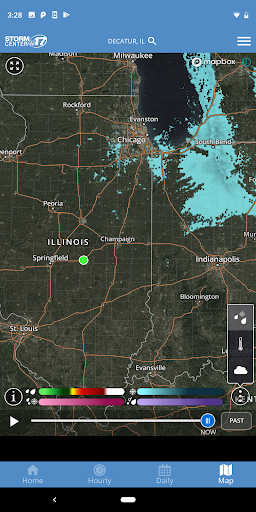

Description
WAND is proud to announce a full featured weather app for Android.
Features
• Highly responsive interactive map optimized for 3G and WiFi performance
• Vertical and horizontal map display with looping
• NOWrad, the gold standard for radar in the weather industry
• Highest resolution satellite cloud imagery available
• Exclusive patent pending Road Weather Index
• Color coded weather alerts arranged by severity
• Fully integrated GPS for current location awareness
• Integrated compass overlay
• Most accurate 10 day forecasts with both daily and hourly detail
• Ability to easily save your favorite locations
• Full featured and user tested
• Weather Widget for unlock page
• Earthquake Plotting
• Storm Track Plotting
• Tropical Track Plotting
• Status bar alert acknowledgement
• Alerts over map on/off switch in settings
• Additional Small Widget
• Widget Configuration (Daily or Hourly view)
• Watch/Warning (Alert) boxes on map.
• Spanish language support; NOTE: Language used in the app will reflect the overall language being used for the device
• Ability to acknowledge Alerts from within the app
• Audio, LED, and vibrate for Alert Notifications
• Feature tips to help users more fully take advantage of app features
• User controllable alerts - Allow the selection of all alerts or just critical alerts
• Single activity scrolling menu