Video Downloader
com.video.fast.download
View detailed information for Video Downloader — ratings, download counts, screenshots, pricing and developer details. See integrated SDKs and related technical data.

Screenshots
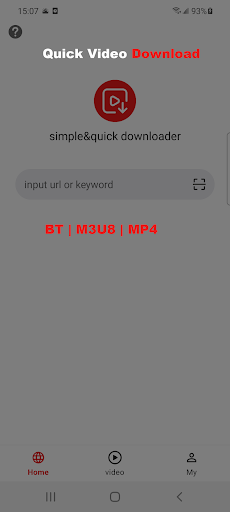


Description
Universal Video Downloader automatically detects videos and you only need one click to start downloading. The powerful download manager allows you to pause or resume downloads at any time, download in the background, download multiple files simultaneously and supports up to 30 core threads. Preview the video first, then download it quickly, and play it offline after the download is complete.
Special feature
* Browse videos using the built-in browser
* Videos can be played offline using the built-in player
*Supported download formats, mp4, m3u8, BT, etc.
* Automatically detect videos and download them easily
* Full-featured download manager lets you pause, resume or delete downloads at any time
* Supports downloading multiple files at the same time, up to 30 simultaneous downloads
* Can resume failed downloads
* high-speed download
*Support HD video download
*Support large file download
* Supports storing video files in password-protected folders
* Support video casting to TV
How to use this video downloader
1. Download video
* Use the built-in browser to browse the web and enter addresses or keywords
* The downloader automatically detects the video, click the extract button
* Select the video you want to download and extract
*Support watching while downloading
2. Download BT seeds
* Download the BT seed file
* Click the video tab, click download, and click "+BT" in the upper right corner to download
*Support watching while downloading
3. Encrypted video
* Click the video tab
* Click the "lock icon" in the upper right corner
* You need to enter your email for verification for the first time
* Here you can import videos from your mobile phone and encrypted downloaded videos
4. Screencast video
* Online screen projectiononly supports MP4 playback addresses
* For videos in M3u8 format, you need to download them locally and then cast them to the screen.