Your Graphic Designer
com.ulm.designer
View detailed information for Your Graphic Designer — ratings, download counts, screenshots, pricing and developer details. See integrated SDKs and related technical data.
- No items.
Screenshots
Description
=============
Note: Many users have signaled the movement of the stage during the drawing operations. In the toolbar is included a useful command with a cross icon that allows you to lock the drawing sheet. It is located just at the end of the application's main toolbar.
=============
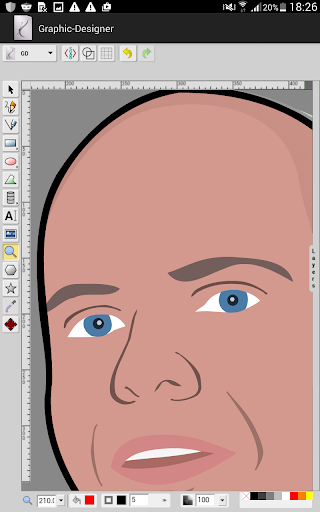
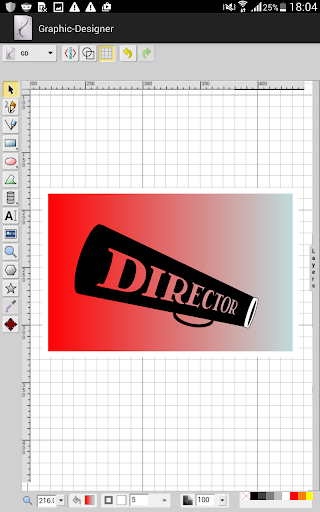
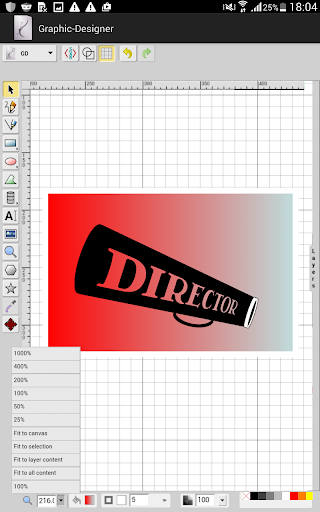
Is HTML5/Android Hybrid application vector graphics editor with following features:
* Free-hand drawing
* Lines, Polylines, Rects/Squares, Ellipses/Circles, Polygons/Curved Paths, Stylable Text
* Raster Images
* Select/move/resize/rotate
* Undo/Redo
* Color/Gradient picker
* Group/ungroup and Align
* Zoom
* Layers
* Convert Shapes to Path
* Wireframe Mode
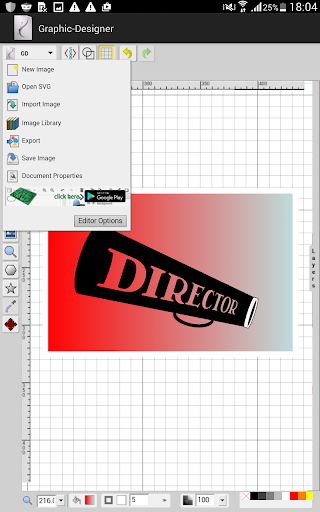
* Save drawing to SVG
* Linear Gradient Picking
* View and Edit SVG Source
* UI Localization: العربية, Čeština, Deutsch, English, Español, فارسی, Français, Frysk, हिन्दी, हिंदी, Italiano, 日本語, Nederlands, Polski, Português (BR), Română, Русский, Slovenčina, Slovenščina, 简体中文, 繁體中文
* Resizable Canvas
* Change Background
* Draggable Dialogs
* Resizable UI (SVG icons)
* Open Local Files
* Import SVG into Drawing
* Connector lines and Arrows
* Smoother freehand paths
* Editing outside the canvas
* Add/edit Sub-paths
* Multiple path segment selection
* Support for foreign markup (MathML)
* Radial Gradients
* Configurable Options
* Eye-dropper tool
* Stroke line join and line cap
* Export as PNG and PDF formats
* In-group editing
* Image library and Shape library including Electronics symbols
* Gridlines, snap to grid
* Merge layers
* Duplicate layer
=============
Important notice
To view files saved in your Phone file system I suggest you use the Files by Google application. Unfortunately, the native file systems of some smartphones limit the complete display of folders and files
Thank you for your patience
=============