Русско-Арабский словарь
com.ttdictionary.russianarabic
View detailed information for Русско-Арабский словарь — ratings, download counts, screenshots, pricing and developer details. See integrated SDKs and related technical data.
Screenshots


Description
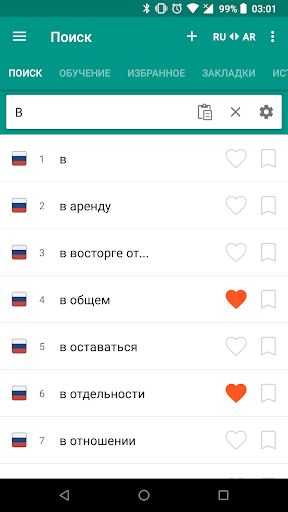
🇷🇺🇸🇦 Russian - Arabic and Arabic - Russian free offline dictionary with a light and functional interface covering more than 40.000 words.
Key Features:
1. functional user interface
2. Quick search with filter
3. Word Pronunciation (TTS - Text-To-Speech)
4. Learning Function ( Flash Cards )
5. Favorites - Add a word to your favorites list.
6. Bookmarks - Create bookmarks and bookmark words.
7. History - Saves the viewed words in the history.
8. Note - Add a note to words.
9. Backup / restore from file or Dropbox (Backup / Restore)
Features:
1. Editing words
2. Adding new words
3. Recent requests
4. Button "Random Word"
5. Search in the clipboard
6. Share the word
7. Data export
8. Support Android N (7)
9. Contextual word search
10. Contextual pronunciation of the word
11. Multiple selection mode (long press)
12. Sort your favorites list
13. Delete confirmation dialog
14. Speech Recognition Search
Various Settings
1. Night mode
2. Resize text
3. Interface color changes
4. Manage your list of stories, favorites, bookmarks and notes.
5. Tab visibility - Show / hide tabs.
6. Change language direction
You can send your suggestions, comments and legal issues related to the layout at this address.
ttdicpro@gmail.com