FieldMaster Technician
com.trimble.fsm.fieldmaster
View detailed information for FieldMaster Technician — ratings, download counts, screenshots, pricing and developer details. See integrated SDKs and related technical data.

Screenshots

Description
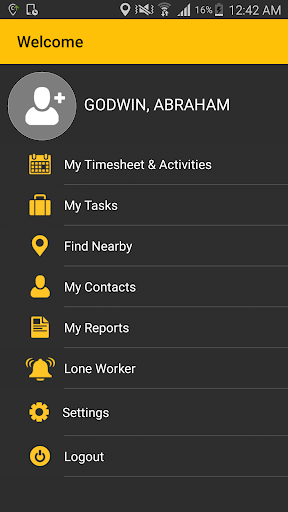
FieldMaster Technician is a business application that empowers mobile technicians who are using the Trimble Field Service Management Fleet Management solution to streamline work flows and improve service delivery by getting them to the right place at the right time with the information they need to do their job correctly the first time. Enhanced features, such as collaboration tools, allow technicians to optimize efficiency by communicating and working as a team to respond rapidly to customer requests by finding who is nearest to them if they need a part or tool they don’t currently have or if they need help with an unexpected aspect to a job.
The FieldMaster Technician allows mobile workers to:
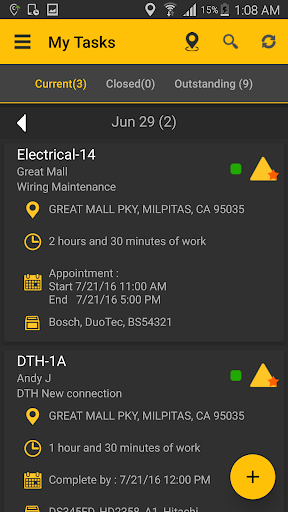
• View their daily tasks, see which are completed and which are still outstanding
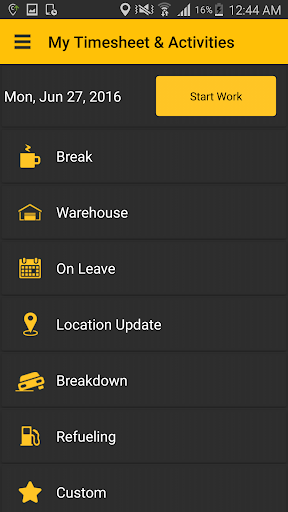
• Log their daily activities, such as starting/ending work, breaks, warehouse visits and refueling stops
• Search for a specific or locate nearby team members when in need of assistance
• View nearby team members in a list or map at any time
• View contact information for team members
• Search to find specific or view nearby key locations
• View Daily Logs to see a report of the tasks and activities for the day.
Note:
FieldMaster Technician App will track location in high accuracy mode only for tracking feature enabled users, this will consume battery. Remember to logout from the application after work hours.Continued use of GPS running in the background can dramatically decrease battery life.