TML Mobil
com.tml_mobil.tml_mobil
View detailed information for TML Mobil — ratings, download counts, screenshots, pricing and developer details. See integrated SDKs and related technical data.
- No items.

Screenshots
Description
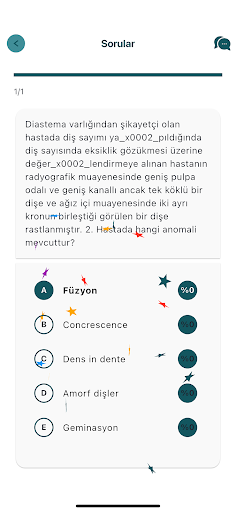
While you work by solving open-ended or test questions with the Admin Tasks prepared by TML, you can score the open-ended questions according to how much you know the answer to the question.
With the Task Editor, you can create open-ended or test question sets and practice as many questions as you want, according to your scoring and the categories you choose.
The scoring system is available in our application for the first and only time among such applications, and it provides more effective time management with the principle of devoting more time to less known subjects.
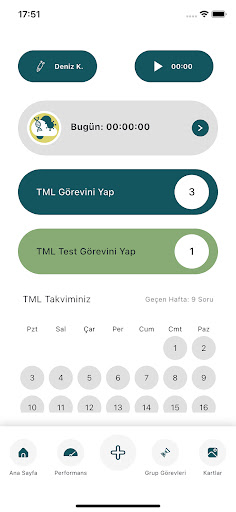
On the main screen of the application, you can see your total daily working time, the days on which you completed TML Tasks are marked in the calendar, and you can check your working time stopwatch.
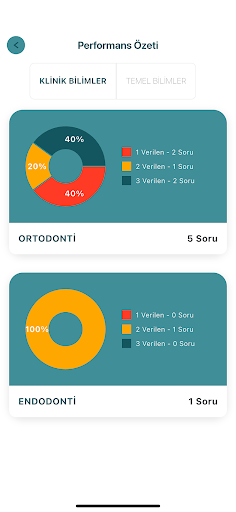
In the Performance Section, you can see how many questions you have solved on each subject and the distribution of your scores, on a category basis and in detail.
In the Visual Cards Section, you can view the visual work cards prepared by TML on a category basis, add the ones you want to your favorites and access them from the favorite cards section.
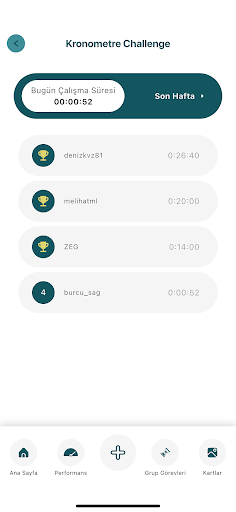
In the Stopwatch Challenge Section, you can see the ranking list of application users based on total working time during the day, and you can access your own total working time details on a daily basis in the last week.
In the Group Tasks Section, you can follow the tasks assigned by TML to the Working Group you selected from the Profile Section, thus creating a more systematic work plan.
While you can access detailed answers and bibliography for the questions, you can send your feedback about the questions to TML.