TMB MBank
com.tmb.mbank
View detailed information for TMB MBank — ratings, download counts, screenshots, pricing and developer details. See integrated SDKs and related technical data.

Screenshots



Description
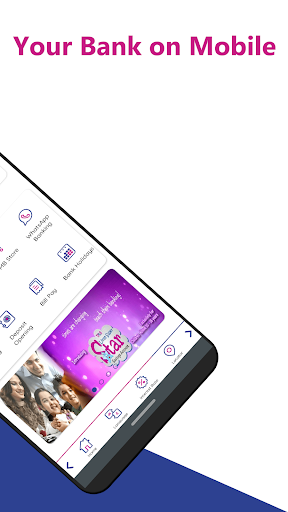
Do your banking right from TMB MBank! Whenever.. Wherever..
Register TMB MBank instantly to bank 24/7, right from your Android device. You can manage your accounts, open deposits, find ATMs and more.
HOW TO USE
• Install the TMB MBank application.
• Mobile Handset where TMB MBank app is to be installed must have the Indian Mobile Number's (registered with our Bank) SIM card inserted in it.
• Enter your Customer ID[7 digit numeric].
• If you don't know the Customer ID, check for Cust-Id in your Bank Passbook or your A/C statement or contact your branch.
• Wait to receive your OTP via SMS to your phone number, enter it to confirm and proceed.
• You will be prompted to input your Debit card details/Internet Banking credentials / Branch PIN (Generated by the Parent Branch) to validate and complete Mobile Banking Registration.
• Now set your Login PIN and MPIN.
• You have successfully registered for TMB MBank App and start experiencing the features.
MONITOR YOUR ACCOUNT
• View Your account balances
• Download/email Account statement
• View Your Loan and Deposit account balances
• View your Inward/Outward Cheques Presented for today at your account
• View your Cheque Status
PERFORM TRANSACTIONS
• Recharge your Mobile, DTH
• Pay all your bills
• Transfer money between TMB accounts
• Make 24X7 Instant Payment through IMPS
• Make Money Transfers through NEFT/RTGS
DEPOSITS
Now you can Open/Preclose your Favorite Deposits at ease of time!
• Recurring Deposits
• Fixed Deposits
• Navarathnamala Deposits
• Muthukuviyal Deposits
• Tax Saving Deposits
MANAGE DEBIT CARD
• Enable/Disable Debit Card anytime
• Set Limit for ATM/POS/eCom/Contactless
CONTACT TMB
• Find your nearest TMB branches, ATMs and eLobby centres
• Contact Us details to Speak with our representative for any Clarifications
• Feedback option to provide your Grievances/suggestions
and much more. . . . .!
Please note: TMB MBank doesn't work in ROOTED Android devices!