「宅建士」過去問題《受験用》Lite
com.tkoffice.takken.lite
View detailed information for 「宅建士」過去問題《受験用》Lite — ratings, download counts, screenshots, pricing and developer details. See integrated SDKs and related technical data.
- No items.

Screenshots
Description
Over 600,000 downloads in total!
Thank you very much.
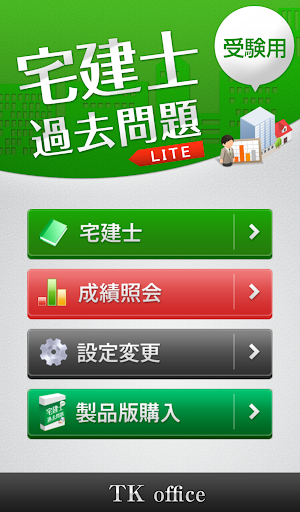
This is the free version of the Real Estate Broker Exam Past Exam Questions (for exam use).
#1 best-selling iOS app in the Education category! (Paid version)
From the past 25 years of exams (2000-2006)
- 772 past multiple-choice questions
- 2,504 true/false questions
- A total of 3,276 questions included.
[App Contents]
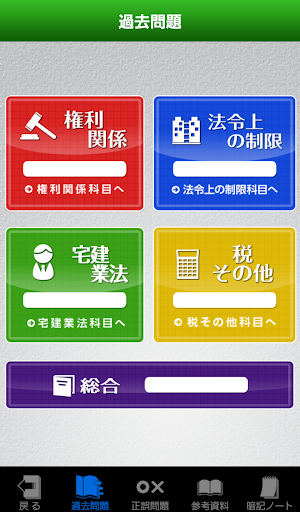
- Past multiple-choice questions
- True/false questions
- Reference materials
- Flashcards (missing answers)
- Report card
- Settings screen
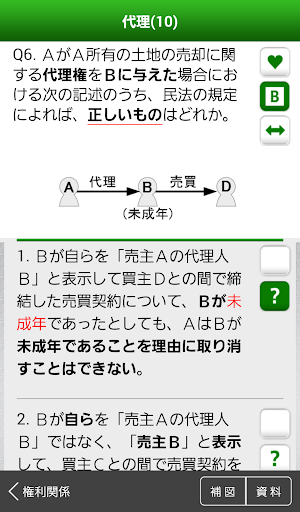
[Past Exam Questions] (Multiple-choice questions)
- The order of the four options is randomly rotated each time.
- Each option has an explanation.
- Reference materials are available while answering questions.
・Questions now include supplementary illustrations, boldface, and colored text. (Turns on/off)
・Using supplementary illustrations allows for deeper understanding. (Turns on/off)
・If an answer option has a dedicated illustration, press the button to the right of the option to switch the illustration.
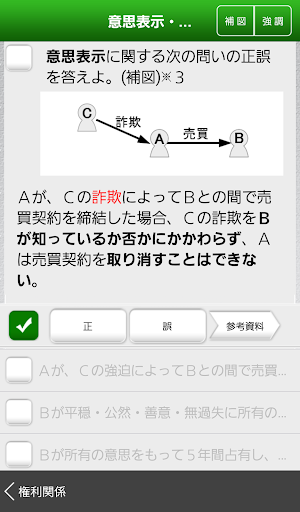
[True/False Questions] (One Question, One Answer)
・True/False questions have been created from past questions.
・Questions that could not be included in past exams are also included.
・You can refer to the "Reference Materials" while answering questions.
・Supplementary illustrations are also displayed for true/false questions.
・All questions come with explanations.
・You can turn "boldface" and "colored text" on/off.
・Beginners can try the "easy" setting from the true/false question screen.
[Reference Materials]
・We have compiled a collection of materials. Use them in any way you like, such as for organizing your knowledge or memorizing.
・You can also refer to them while answering questions.
[Memorization Notes]
- Important words in reference materials are displayed in a "missing" format.
- Text appears while the button is pressed.
- Memorized words can be kept displayed by double-tapping.
- The percentage of words that remain displayed is reflected in the grade bar.
- It's a good idea to start memorizing the words marked with a *.
[Grade View]
- Bar graph (each item)
- Radar (each subject)
- Pie chart (all questions)
[Settings Screen]
- Various settings can be selected.
(Auto-check, Random, Supplementary Chart ON/OFF, Grade Reset, etc.)
"*" indicates the number of times a question from this app has been asked.
*: The question was asked twice.
*3: The question was asked three times.
*4: The question was asked four times.
Some questions have been changed to reflect legal changes and multiple-choice questions.
Thank you for your understanding.
(Additional Information)
Difficulty Settings for True/False Questions
Difficulty Settings
・Easy
・Normal (Easy + Normal)
・Difficult (Easy + Normal + Difficult)
As the creators, we hope you will be able to solve up to the normal (Easy + Normal) level.
Please attempt the difficult (Easy + Normal + Difficult) level when you have more time.
*The difficulty settings have been adjusted for the Lite version.