군산버스 스마트
com.tistory.agplove53.y2014.gunsanbus
View detailed information for 군산버스 스마트 — ratings, download counts, screenshots, pricing and developer details. See integrated SDKs and related technical data.

Screenshots


Description
Try Gunsan Bus Smart.
When you use the bus, you will have a smart companion.
▶ Service target
- Buses and stops operating in the Gunsan area
▶ Features provided
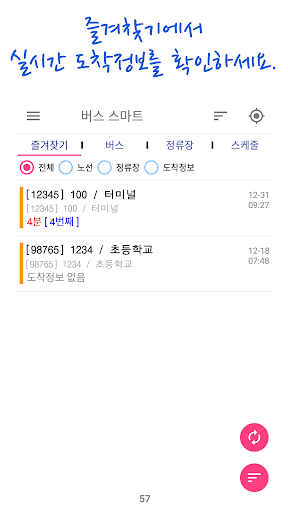
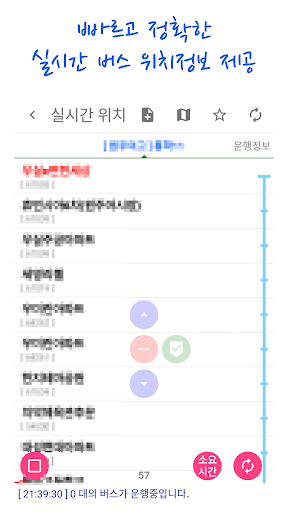
1. Bus real-time location and arrival information
2. Board the bus with vibration and notifications
3. Schedule alarm (Automatically notifies arrival information on specified day and time)
4. Easy setup (users can change app theme color and font size)
5. Supports various foreign languages
6. Widget function to check arrival information without running the app on the home screen (desktop)
7. User convenience features (favorites, search history, refresh time)
8. Search for nearby stops (radius setting)
9. Favorite backup, recovery, and batch deletion functions
10. TTS can be set for bus boarding notification
▶ The apps provided are privately owned apps that are planned, developed, and operated based on information provided by general private companies through APIs. Therefore, we are not affiliated with or represent any government agency.
▶ Source of information
Since the service is provided based on information provided by the systems below, this app may provide incorrect information if there is a problem with each system.
- Public data portal
http://data.go.kr
▶ Information on app access permissions
The following access permissions are required to use the app properly.
You can use the app even if you do not allow optional access rights, but some functions may be restricted.
- Information on essential access rights
1. Internet, vibration, power saving mode, booting service
- Information on optional access rights
1. External storage writing, reading: user DB backup, recovery
2. Location: Nearby stop search, address search
3. Android Doze Mode: Schedule alarm
- You can withdraw consent to optional access rights in the following way.
Android 6.0 or higher: Settings > Applications > Select app > Permissions > Agree or withdraw access permissions
Below Android 6.0: Since each access right cannot be revoked, access rights can only be revoked by deleting the app. OS upgrade to 6.0 or higher is recommended