Tentacle Setup
com.tentacle.sync.setup
View detailed information for Tentacle Setup — ratings, download counts, screenshots, pricing and developer details. See integrated SDKs and related technical data.
Screenshots

Description
Set. Sync. Record.
Control your Tentacle timecode generator SYNC E, the new TRACK E timecode audio recorder and your first generation Tentacle timecode generators with one app!
Have fun working with your Tentacles! Questions or suggestions? Just contact us via support@tentaclesync.com
---
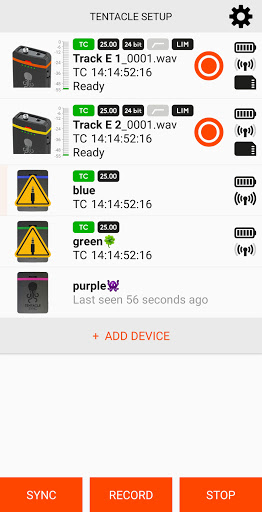
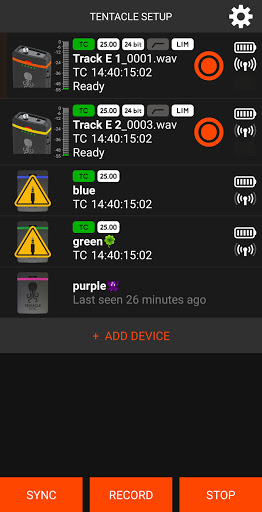
The Tentacle Sync E and Tentacle Track E work without any cable. Just switch on Bluetooth and follow the instructions of the App. You can monitor and control all running devices in your reach including their:
- Timecode
- Sync Status
- Device Name
- Frame Rate
- Battery Charge
- Timecode Output Level (Sync E)
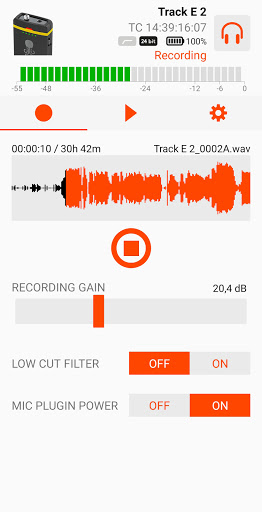
- Recording status, level, format & time (Track E)
- Low Cut Filter (Track E)
- Headphone volume (Track E)
- Microphone plugin power (Track E)
- SD Card formatting (Track E)
- Playback and file information (Track E)
For the first generation Tentacle your Android device needs to support USB Host Mode ("USB On-The-Go") and you need an USB OTG cable together with a Micro USB adapter cable.
For further information please check: www.tentaclesync.com