Frontline Spatial Workplace
com.teamviewer.frontline.spatial.workplace
View detailed information for Frontline Spatial Workplace — ratings, download counts, screenshots, pricing and developer details. See integrated SDKs and related technical data.
- No items.

Screenshots

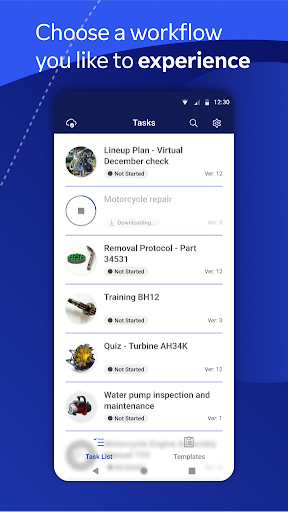
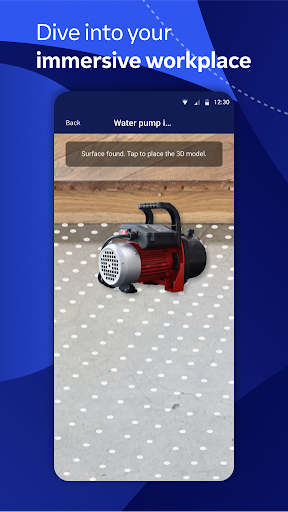
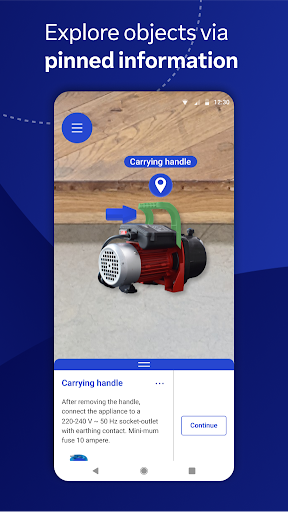
Description
Start Working in 3D with TeamViewer Frontline’s Spatial Workplace. Take industrial workplaces to the next dimension by guiding workers with the help of interactive contents in a mixed reality environment, increasing productivity, efficiency, and process quality.
TeamViewer Frontline Spatial Workplace enables your workforce to execute tasks in a more intuitive, interactive way by providing them with digital information and multi-media content.
Enrich your employees’ reality by adding relevant spatial instructions to objects for visual process guidance or let them interact and modify 3D models of a product by equipping them with TeamViewer Frontline’s Spatial Workplace.
Across all industries, our mixed reality solutions offer tangible benefits for use cases that call for an immersive experience like onboarding, training, and upskilling – allowing for an innovative, realistic, and self-paced experience.
Key Features of TeamViewer Frontline Spatial Workplace:
- Clear instructions in a digital, mixed reality environment
- Intuitive interactions with multi-media contents
- Collaborative group sessions
- Quiz functionalities with instant feedback
Learn more about TeamViewer Frontline Spatial: www.teamviewer.com/en/frontline
Information on Mandatory Access
● Camera: Necessary to generate video feed on the app
Information on Optional Access*
● Microphone: Fill the video feed with audio, or used to record message or session
*You can use the app even if you do not allow the optional permissions. Please use in-app settings to disable the access.