SmartWiFiSelector Trial
com.tartar.strongestwifitrial
View detailed information for SmartWiFiSelector Trial — ratings, download counts, screenshots, pricing and developer details. See integrated SDKs and related technical data.
Total installs
95.9K(95,961)
Rating
3.8(71 reviews)
Released
July 23, 2014
Last updated
October 1, 2025
Category
Tools
Developer
Alexander Tartar
Developer details
Name
Alexander Tartar
E-mail
support@at-programming.com
Website
unknown
Country
Austria
Address
unknown
Screenshots

Description
Smart WiFi Selector Trial - always the best WiFi connection!
You know the problem: although a strong WiFi signal is available nearby, your device is keeping the connection to a much weaker, more distant WiFi network. You have to disable and reenable WiFi on your device to force the connection to the best WiFi. Smart WiFi Selector puts an end to this situation and permanently connects to the best WiFi network for you!
Advantages over other WiFi Switcher apps:
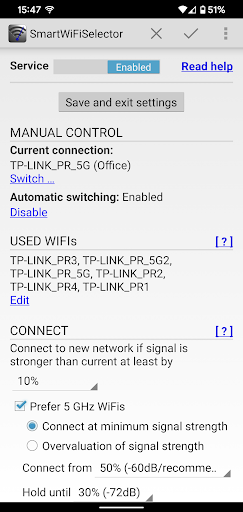
* Smart WiFi Selector uses the (selectable) difference in signal strenght to decide when to switch to another WiFi The connection to the new WiFi will happen if the signal is e.g. 20% stronger than the current signal. This eliminates the constant switching - and, with this, constant signal interruption - in the overlapping area of 2 WiFi networks.
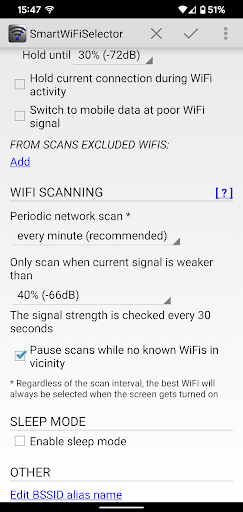
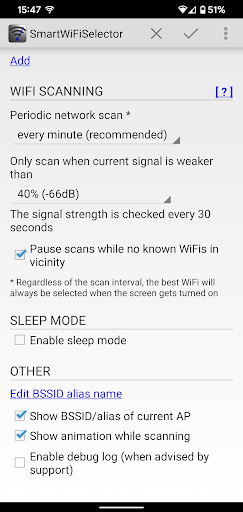
* Selectable scan interval for the search for the best WiFi connection
* It's possible to exclude specific WiFi networks from scan
* Instant scan when the screen gets switched on
* Favors 5GHz networks, if desired
* Sleep mode with own scan intervals to save battery. The sleep mode can either be triggered by time or by the connection to specific WiFi networks. For example, if there are multiple WiFi networks at work, but only a single network at home, you may want to put your home network on the sleep mode list. As soon as you leave your home network, Smart WiFi Selector will enter the normal work mode.
* Option to switch to mobile data connection at poor WiFi signal strength
Because of all these benefits, Smart WiFi Selector is the most flexible and most battery-saving WiFi switcher-app in PlayStore!
HINT
This is the trial version. It has full functionality, but will expire after 7 days.
App permissions
Location: required for WiFi scans (Android 6+)
Storage: required for write optional debug log to internal storage
Smart WiFi Selector - best WiFi connection