Beard Booth - Photo Editor App
com.tainapps.beardbooth
View detailed information for Beard Booth - Photo Editor App — ratings, download counts, screenshots, pricing and developer details. See integrated SDKs and related technical data.
Total installs
2.4M(2,465,495)
Rating
3.4(67 reviews)
Released
December 18, 2015
Last updated
October 28, 2024
Category
Photography
Developer
Jirapas Tongthong
Developer details
Name
Jirapas Tongthong
E-mail
utain99@gmail.com
Website
unknown
Country
unknown
Address
unknown
Android SDKs
- No items.
Screenshots
Description
Beard Booth - Photo Editor App, use Add beards & facial hair to u. Add beard to your photos now!, don't wait beard for grow.
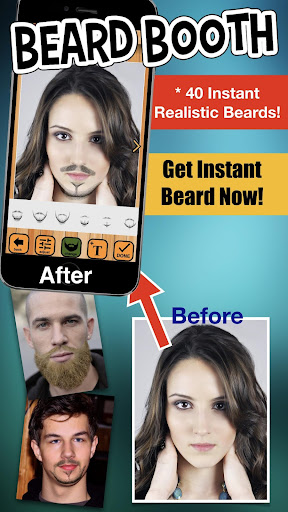
40 Many beards styles with short beards and long beards for get instantly!
** Beard Booth - Photo Editor App help you make your photo with beard - Many beard styles with short beards and long beards instantly! **
Want to be hipster? Use Beard Booth - Photo Editor App Add beards & facial hair to u. App is easy & funny to use and look realistic beard,
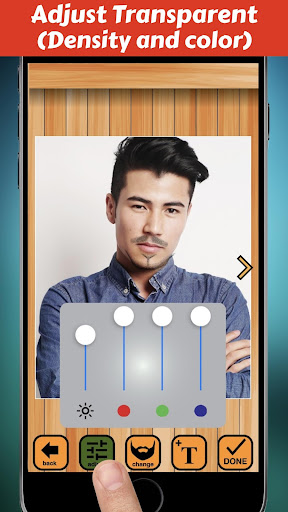
come with variety of beautiful 40 beard styles and available for adjust transparent (density),
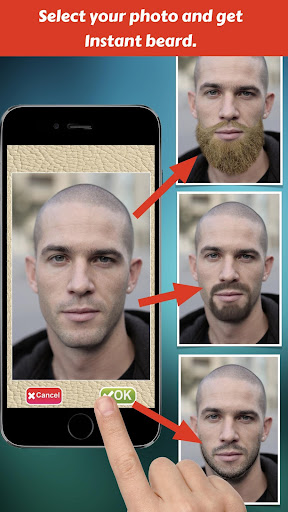
How to use Add beards & facial hair to u. ?, just take a picture, or select from the camera roll or your photo gallery,
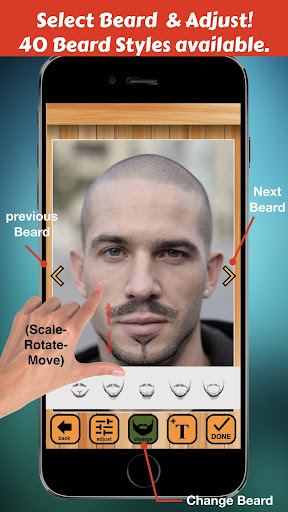
then get beard on your face. want new beard just tap next button to get new beard or select it in beard's gallery.
After use Add beards & facial hair to u., when a your picture with beard is good looking,it easy to save images & share.
== Features of Beard Booth - Photo Editor App ==
1. The Interface is easy to use and beautiful.
2. Variety of beautiful beard styles and included with short beard & long beard (hipster style)
3. Take photos using the camera or select a picture from your camera roll or photo gallery.
4. Scale, rotate, move adjust with your finger easily.
5. Save and Share your photo to social media.
== Instruction of Add beards & facial hair to u. ==
1. Select a picture from your camera roll (photo gallery)or take photo .
2. Adjust your photo fix in frame, one finger for move and two fingers for scale and rotation, then tap OK button for use this picture.
3. Beard will appear and position on your face.
4. If you want to some adjust, use your fingers for adjust (scale-move-rotation) beard by one finger for move and two fingers for scale and rotation.
5. Tap "Visual Adjust Button" for open/close "Visual Adjust Panel" by this panel user can adjust visibility of beard.
6. Save to Camera Roll or your photo gallery by use "Done Button" then "Save Button".
7. For Sharing your funny photo use "Done Button" then "Sharing Button" then select social media which you want to share.
So download Beard Booth - Photo Editor App and enjoy to make your beard photo now!