MyKeyboard
com.sumlook.android.mykeyboard
View detailed information for MyKeyboard — ratings, download counts, screenshots, pricing and developer details. See integrated SDKs and related technical data.

Screenshots


Description
MyKeyboard is an input method to enhance function of hardware keyboard of android device.
Functions:
1. provide Blackberry like capitalize method (i.e. long press an alphabetic key to capitalize it)
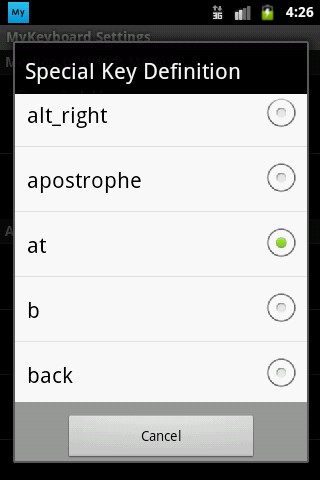
2. provide D-Pad/Arrow Key by using a concept of "My" mode (which like creating a extra alt key). User can use a special key (default is @) to alter the function of keys in keyboard.
The special key will work in this way:
•Short press special key: Work as normal - output the original value of key (i.e. @ by default)
•Press special key then press "another key": Output "My" mode value of "another key"
•Long press special key: Switch between "My" mode and "Abc" mode
Predefine keys in "My" mode are:
•Y = DPad Up
•G = DPad Left
•H = DPad Center
•J = DPad Right
•B = DPad Down
•SPACE = TAB
•X = Cut selected text to clipboard
•C = Copy selected text to clipboard
•V = Paste text from clipboard
•A = Select All
If your android device haven't a hardware keyboard, then this app is not for you.
The network permission is for advertisement purpose only. If you have concern on the permission, please buy MyKeyboard Pro, which is a ads free and more powerful version of this program.