ST25DV-I2C CryptoDemo
com.st.st25dvcryptodemo
View detailed information for ST25DV-I2C CryptoDemo — ratings, download counts, screenshots, pricing and developer details. See integrated SDKs and related technical data.
Screenshots

Description
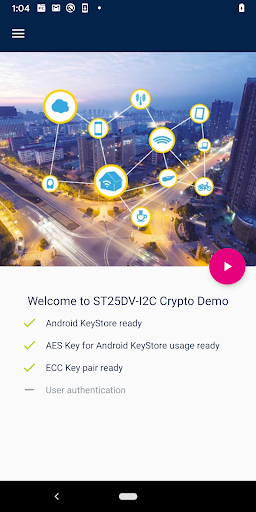
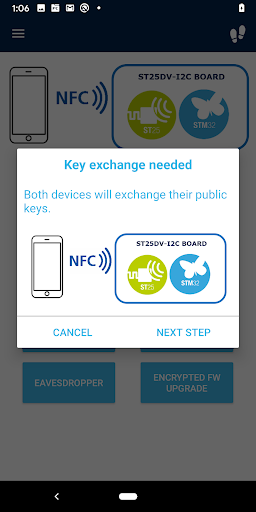
The ST25DV-I2C CryptoDemo application shows how to establish a secure transfer channel over NFC, between an STM32 microcontroller and an Android smartphone. It uses the fast transfer mode (FTM) feature of the ST25DV-I2C NFC Tag.
An ST25DV-I2C-DISCO board is required to run the demonstration.
This demonstration establishes a secure transfer channel by using cryptography to perform mutual authentication and to encrypt the communications over NFC.
This secure transfer channel is used during the demonstration to securely send and retrieve data, perform the device settings, and upload new firmware.
Only the granted user may communicate with the STM32 microcontroller to perform these operations.
All the communications are encrypted between the microcontroller and the Android phone in both ways, so that the user can configure the product or retrieve data securely.
FEATURES :
- Encryption of all NFC bidirectional communications between an Android Phone and an STM32 microcontroller
- Fast communications over NFC, using ST25DV fast transfer mode
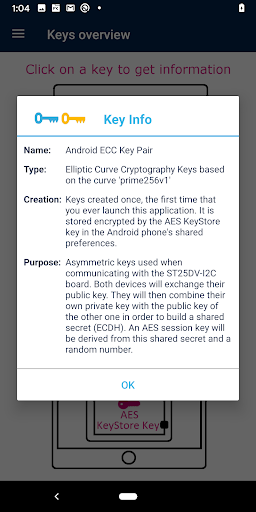
- AES and ECC cryptography
- Mutual authentication between the Android phone and the STM32 microcontroller
- Establishment of a unique AES session key
- Encryption can be used to retrieve data, set device settings or update the firmware securely