대리출석차단
com.ssenstone.prxatnprv.m
View detailed information for 대리출석차단 — ratings, download counts, screenshots, pricing and developer details. See integrated SDKs and related technical data.
- No items.

Screenshots


Description
[Introduction of proxy attendance blocking system]
It is an integrated authentication app for'simple authentication','biometric authentication'.
The proxy attendance blocking system is a simple authentication app that is integrated into one APP to enable user authentication (login) using fingerprints, faces, PINs, patterns, etc.
(※ Support details may vary for each site applied, so please contact the site administrator.)
Now, minimize changes to the work system and apply simple authentication, secondary authentication (2FA), and biometric authentication at reasonable cost (80% reduction compared to the built-in type).
[How to use]
1. Institution registration
-Enter the school code provided on the site you use.
2. Communication copy authentication
-Enter the information on the carrier's identity screen and authenticate that it is your phone.
3. PIN number registration
-Register the authentication method with a PIN number.
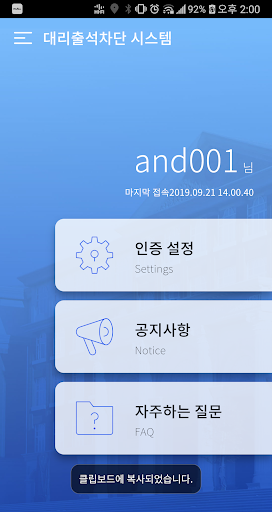
4. Settings
-You can check authentication method registration, announcement, FAQ, etc.
5. How to use authentication
-If you select the proxy attendance blocking system app when logging in from the work system you are using, you will receive a PUSH notification on your mobile phone.
-If you run the app and complete the authentication with the authentication method you registered, you will be logged into the system on your PC.
-When used in a mobile app, the app is immediately called.
[Precautions]
-You can use the mobile device with 3G, LTE, Wi-Fi communication available.
-PIN numbers and patterns, including biometric information, are not stored or transmitted to the server.
[Contact Us]
-User complaint report: 02-569-9668
-Service/Building/Partnership Inquiries: 02-569-9668, im@ssenstone.com