Logbook - TripTracker
com.sourcecastle.freelogbook
View detailed information for Logbook - TripTracker — ratings, download counts, screenshots, pricing and developer details. See integrated SDKs and related technical data.
Total installs
174.3K(174,396)
Rating
3.8(109 reviews)
Released
August 7, 2014
Last updated
January 1, 1970
Category
Auto & Vehicles
Developer
SZ Software

Screenshots


Description
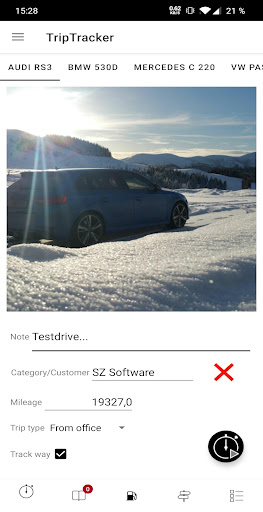
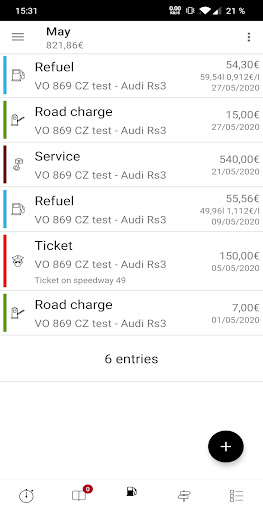
Are you tired of writing your mileage logbook by hand? Then you've come to the right place. TripTracker is the only mobile driver’s logbook that is automatically written by using GPS, Bluetooth-Detection, reverse Geocoding or OBDII data. In addition, you can also manage vehicle costs to keep an overview.
TripTracker is law conform so that your mileage logbook is also accepted by most public authorities.
* * Features **
* SSL Encryption
* OBD2 Interface
* Bluetooth Start/Stop
* Automatic tracking
* Excel and PDF Export (In-App-Product)
* WISO Export (In-App-Product)
* INtex Export (In-App-Product)
* KML-Support (In-App-Product)
* OBDII Displays and Graphs (In-App-Product)
* GPS Tracking
* Geocoding
* Version control system
* Sync (In-App-Product)
* Web interface
* Calendar
* Car cost management
* Various Graphs and Diagrams
* Backup functionality
** OBDII **
TripTracker is able to connect directly to your car so that it can read the odometer and calculate the distance traveled. This allows TripTracker to write your mileage logbook 100% synchronized with your car. In addition, various parameters and the error memory can be read.
To use this feature, you don’t need to modify your car! You just require a Bluetooth adapter which is plugged in to the cars OBDII interface. Installation is very easy since in most modern cars the OBDII interface is directly beneath the steering wheel.
For more information please read here: https://triptracker.app/obdii
NOTE: Wifi Adapters are not supported anymore due to some Android limitations.
** Security **
TripTracker provides complete and correct data collection. The mileage logbook’s integrity is ensured by various hash and encryption algorithm. Each entry has its own checksum to guarantee that it isn't changed afterwards or outside of TripTracker. The generated PDF can be signed by one of our servers to ensure that it can't be modified.
** Privacy **
In contrary to most other systems all the collected data is your property. It is not stored somewhere abroad on a Server or a Cloud. The mileage logbook is on your phone in a local high performance SQL database.
TripTracker does not sell or analyze your mileage logbook!!
** Backend **
TripTracker has a powerful synchronization mechanism that allows you to collect and edit your mileage logbook across multiple devices. There is also a web interface which allows you to analyze your data on a PC or Mac.
Privacy policy:
https://triptracker.app/privacy
App Icons by icons8 (http://icons8.com)