Mix to Mobile
com.soundondigital.mixtomobile.android
View detailed information for Mix to Mobile — ratings, download counts, screenshots, pricing and developer details. See integrated SDKs and related technical data.
- No items.

Screenshots



Description
Stop bouncing, start mixing!
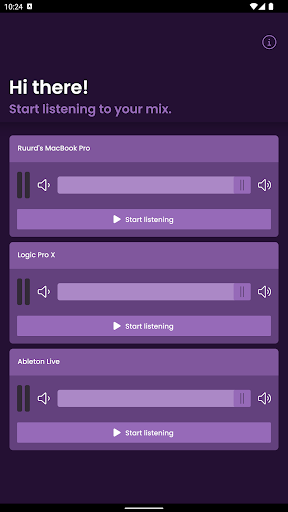
Mix to Mobile makes it fun and easy to listen to your mix on your mobile device. You no longer have to bounce your project and send it to your phone. By using this app in combination with our plugin, you’ll be able to instantly listen to your mix in real time, get feedback and make proper adjustments.
Instead of waiting, spend your time wisely: resting assured your mix sounds great on mobile!
How it works
The Mix to Mobile app receives high quality, low latency, lossless audio streams directly from your DAW. The separate sender plugin is available as AudioUnit, AAX & VST3 on macOS and Windows. Mix to Mobile uses your local network to send the audio to your mobile device, including WiFi. You can send and receive multiple streams simultaneously.
How to get started
Listening to your mix has never been so easy. Make sure you’ve purchased the plugin on our website. After that, it’s just 3 easy steps:
- Download the Mix to Mobile app.
- Start your favorite DAW, and add the plugin to your track.
- Open the app – immediately, your mix will appear. All you have to do is hit ‘Start listening’, and let the music come to your ears.