FT-857 Remote
com.softstandk.ykats.ft_857remote.ad
View detailed information for FT-857 Remote — ratings, download counts, screenshots, pricing and developer details. See integrated SDKs and related technical data.
Screenshots

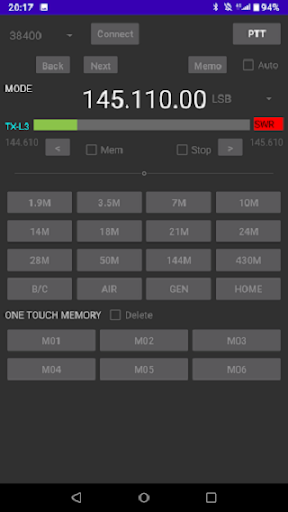
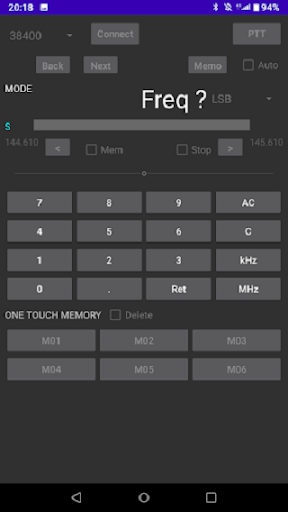

Description
It is a remote control (CAT) application for YAESU FT-857. Please note that it is mainly for remote frequency operation and does not have a memory management function inside the FT-857.
Operating environment
・ 7-inch or larger tablet (Need USB-OTG mode)
You can use a smartphone with a high screen resolution, but it may be difficult to use.
・ USB (OTG) control
・ Control by Bluetooth (Serial Port Profile)
Interface notes (must read!)
・ USB connection example
Tablet → USB (OTG) cable → USB / RS-232C conversion cable → YAESU CT-62 cable → FT-857
* It will not work with a USB cable that does not support OTG.
* The built-in device of the USB / RS-232C conversion cable supports only FTDI. Other devices such as PL2303 and CH340 will not work properly!
・ Example of connection by Bluetooth
Tablet (Bluetooth) ・ ・ ・ Bluetooth adapter → FT-857
* Before starting the application, please complete pairing with the setting function of Android-OS.
Differences in specifications due to interfaces
・ The function to display the frequency and mode of FT-857 in real time is only compatible with USB connection.
・ Overall, USB connection is faster than Bluetooth connection.
※Notes
Please register HOME frequency by yourself after the first activation. (HOME frequency can be registered in all bands)
Most of the FT-857 commands require writing to the built-in EEPROM, but if writing to the EEPROM fails, in the worst case a repair request to the manufacturer will be required. For safety, this application realizes only with commands that do not need to be written to EEPROM. For example, band switching is not used by commands and band management is performed on the application side, so depending on usage, FT-857 and app band Please note that there may be a difference in.
Since this application includes elements other than the application such as conversion cable and Bluetooth adapter, we cannot support it if it does not work well. We apologize for the inconvenience, but please use at your own discretion and responsibility.