Olive Cast: Body Cam Video Rec
com.smartwalkie.olivecast
View detailed information for Olive Cast: Body Cam Video Rec — ratings, download counts, screenshots, pricing and developer details. See integrated SDKs and related technical data.

Screenshots
Description
Jul 2021: We significantly re-wrote this app to support newer android versions. We have verified that this app works on most Samsung Phones including Xcover Pro and Xcover5. These are on Android 11 and Android 10.
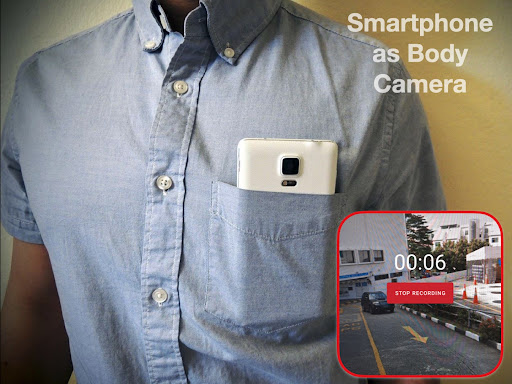
Olive Cast turns your smartphone into a body cam (Body Worn Camera). Designed for police, law enforcement, and security teams, the app records video that is automatically tagged with time and date.
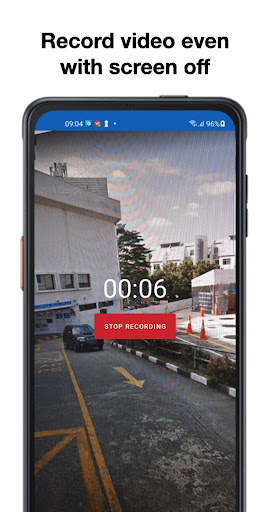
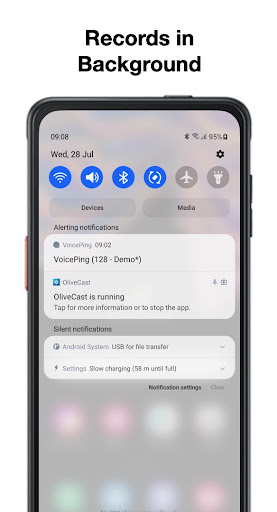
*Never miss a frame: Records in Background and Screen Off*
As a security tool, getting all video is important. That’s why we have made Olive Cast to continue recording even if the app is not on the screen or if your screen is off. Download the free app to try for yourself.
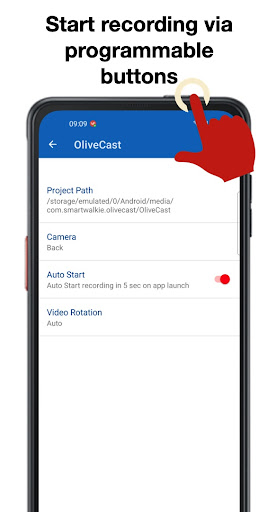
*Quick Start: Start Recording via Buttons or Screen Toggle*
When incidents happen, using the on-screen button might take way too long to start recording. That’s why you can also Auto start on app launch. This works best on phones with programmable keys that can launch apps.
* Incident Information: Time, and Date Stamps *
Videos are automatically tagged with information that records when an incident took place.
*Video Storage*
Videos are recorded on the device. You can choose a location on internal storage or SDcard to store videos in. Because the users could still be accessed by users, uou should install other apps that prevent deletion of these files.
Why Use your Smartphone as a Body Cam?
OliveCast is positioned for users who do not need the high end features of Body Cameras.
Save Cost on Equipment - Allow your officers to carry one device that can be used for Guard Tour, Communication and also as a Body Cam. Save on additional equipment costs by streamlining and reusing current assets.
Send videos faster - Because Olivecast Body Camera runs on your smartphone, you can easily send the video file out when required via Email or WhatsApp
WiFi and Cloud Storage - Use Smartphone Apps like Google Drive or Dropbox to do automatic Syncing via WiFi. This is a much cheaper option that other vendor's backup options.