Calendar: Schedule Planner
com.smartcalendar.businesscalendars.calendar
View detailed information for Calendar: Schedule Planner — ratings, download counts, screenshots, pricing and developer details. See integrated SDKs and related technical data.
Total installs
1.5M(1,531,199)
Rating
4.3(435 reviews)
Released
May 7, 2022
Last updated
September 16, 2025
Category
Productivity
Developer
Diavostar PTE. LTD
Developer details

Screenshots
Description
A Smart Calendar app that is a perfect private planner & business calendar to help you schedule and plan your day.
Easily sync Calendar with all your current planners. It inherits the simple and clean look of a calendar but makes it more accessible, powerful and reliable on your android phone. Plan and organize your calender events more easily. Access your Calendar straight after a phone call, and easily add appointments or to - do lists to your schedule.
Everything you need in a calendar app: Calendar planner, schedule & to-do list. It provides an excellent overview of your daily events, is easy to use and gives you a clear overview for planning and scheduling your events and tasks.
To plan , create a to-do list or to add an event with Calendar is simple, as is checking your upcoming agenda on a daily, weekly or monthly basis.
Calendar Features
▪ Manage contacts: link contacts to your schedule
▪ Customizable templates: create your own templates for new meetings / appointments
▪ Multi-selection: delete, move or copy multiple events at once
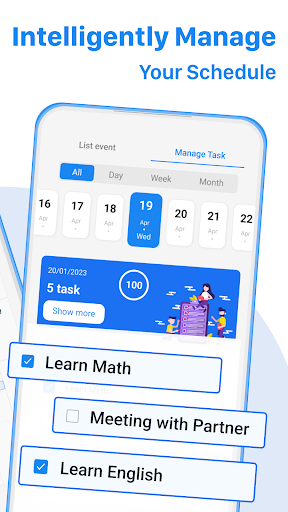
▪ Schedule planner and task organizer in one app
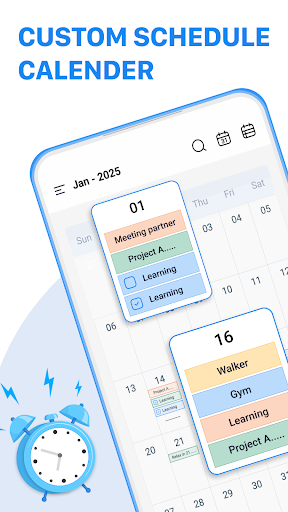
▪ Clearly designed main views: month, week, year and event
▪ Intuitive navigation with simple swipe gestures between daily and weekly planner
▪ Birthdays and public holidays
▪ Choose your preferred Planner view (month, week, day, agenda widget etc.)
▪ Create a to - do list directly after a call
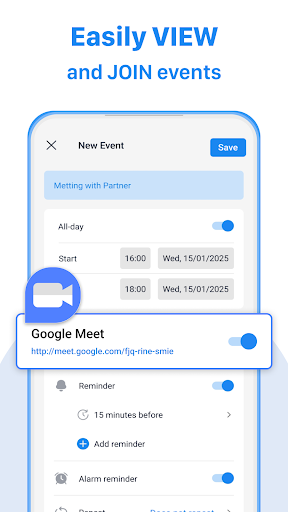
▪ Get configurable notifications for your appointments
▪ Individual ringtones for different event
▪ Call features that allow you add, follow up schedule calendar dates during and after calls.
Your Unique Calendar Widget
▪ 7 professional calendar widgets
▪ Monthly, weekly, day, tasks, icon and agenda
▪ Adapt each to suit your personal needs